Ask a deposit that comes back after the return
In short
- Ask a deposit for the whole shop or per product, as a fixed amount or a percentage of the rent.
- Customers pay it as a hold on their credit card, online with the booking, or at pickup.
- After the return you give it back or keep part of it, straight from the order.
Why a deposit matters
A deposit protects your rental items and makes customers handle them with care. With the deposit in your booking system, you no longer count cash or chase refunds by hand.
Three ways to collect
A hold on the credit card, payment online or at pickup: you choose what suits your shop.
Never part of your revenue
The deposit stays out of the order total and the VAT, and stands apart on the invoice.
Settled in one step
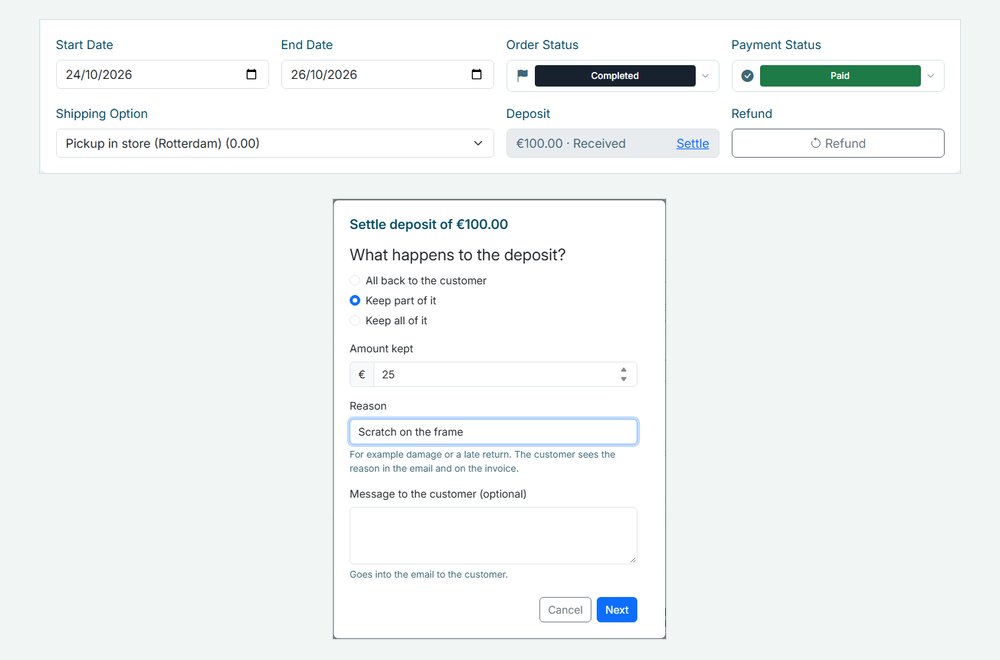
Give it all back, keep part with a reason, or keep it all. Your customer gets an email.
How Be-Bookable solves it
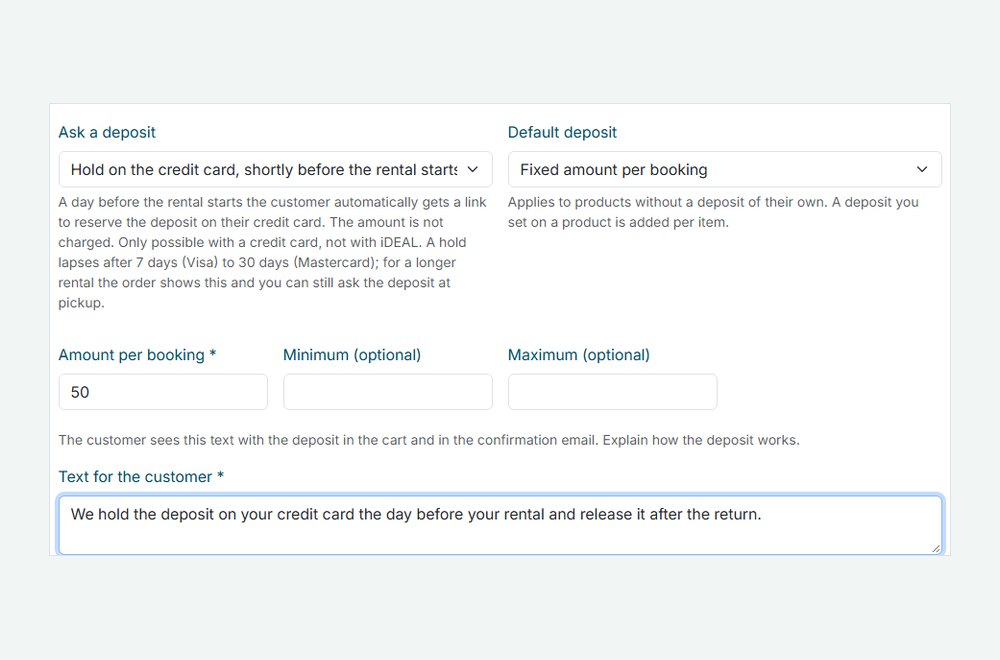
- Switch it on. In Shop Settings, open Deposit and choose how customers pay: a hold on their credit card shortly before the rental starts, online with the booking, or at pickup. Add a short text that customers see with the deposit.
- Set the amount. Choose a default for the whole shop: a fixed amount per booking or a percentage of the rent, with an optional minimum and maximum. In a product, enter a deposit per item where it should differ, or 0 for none.
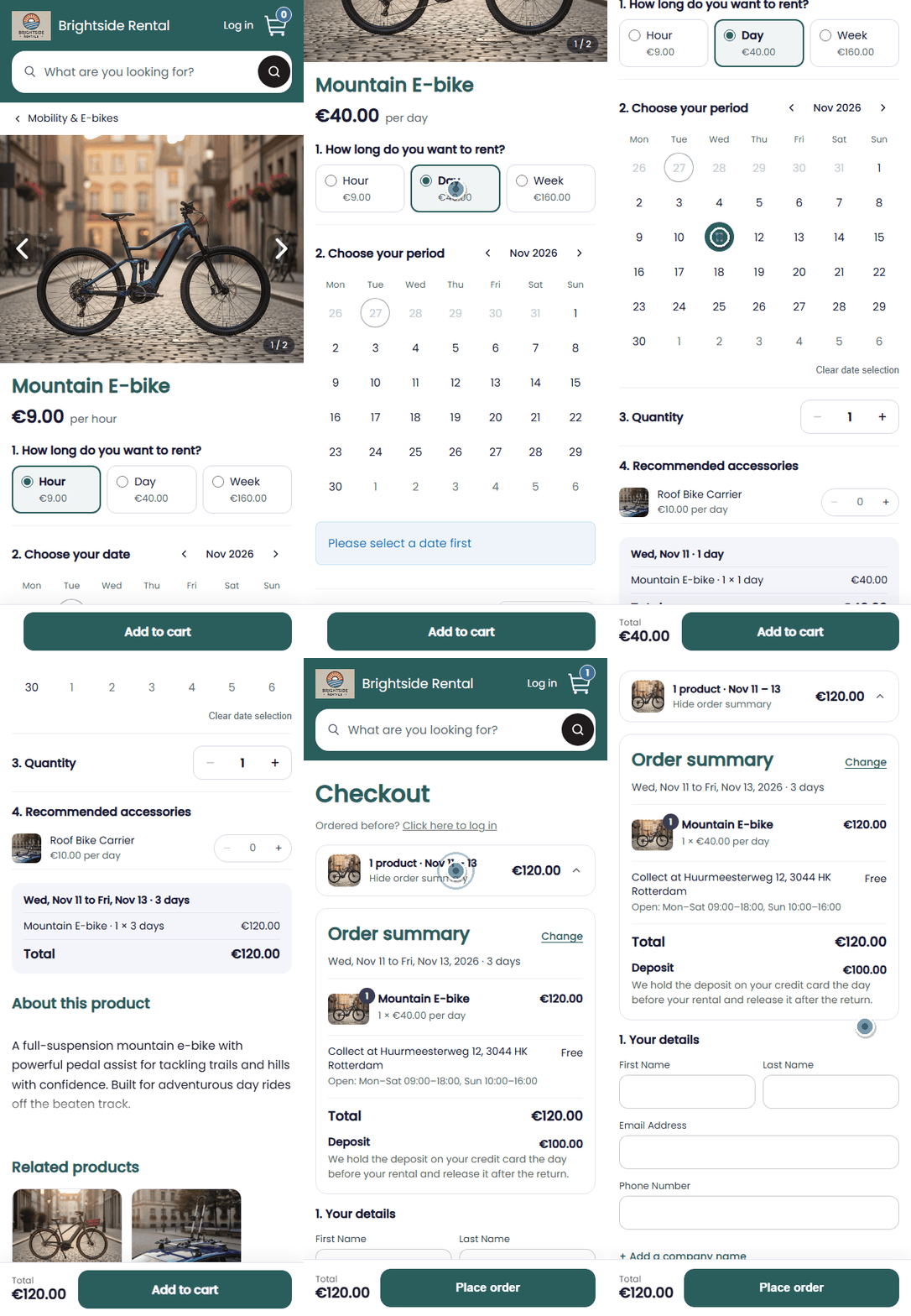
- Customers see it when they book. The deposit appears in the order summary and the order emails, with your text. Paid online, it is part of the amount to pay. With a hold or at pickup, it is shown below the total.
- Settle it after the return. Open the order and click Settle next to the deposit: all back to the customer, keep part of it with a reason, or keep all of it. Returned orders with an open deposit also show on your dashboard. A kept amount goes on the invoice with VAT, see invoice generation.
Deposits in the real world
A few ways rental businesses set it up:
| Rental type | Deposit | How customers pay |
|---|---|---|
| Camera rental | 250 euros per camera body | Hold on the credit card |
| Bike rental | 100 euros per e-bike | At pickup, cash or card |
| Party rental | 10% of the rent, at least 25 euros | Online with the booking |
| Tool rental | 50 euros per booking | At pickup, cash or card |
Frequently Asked Questions
How does the hold on the credit card work?
When the rental is a day away, your customer gets an email with a link to reserve the deposit on their credit card. Nothing is charged yet. After the return you release it, or charge only the part you keep. A hold lasts 7 days with Visa and Amex and up to 30 days with Mastercard; the order warns you if it runs out before the return.
What do I need for a hold or an online deposit?
A connected Mollie account, see online payments. For a hold, credit card payments must be switched on in Mollie, because iDEAL cannot reserve an amount. A deposit at pickup works without Mollie.
Is the deposit part of my revenue?
No. It stays out of the order total and the VAT. Only an amount you keep counts as revenue: it goes on the invoice as its own line, with VAT, and into the export for your accountant.
How does the customer get the deposit back?
When you settle it, a deposit paid online is refunded through Mollie and a hold is released, both in full or minus the part you keep. For a deposit paid at pickup, you record what you return and hand the money back yourself.