

Keep time free before and after every rental, automatically
In short
- Hold a pre- and post-booking block around every rental for prep, cleaning or transport, set per product.
- Add an initial booking block so nobody can book too close to today.
- Only the booked items are held during a block. The rest of your stock stays bookable.

Why booking blocks matter
Rentals rarely go straight from one customer to the next. Booking blocks build that reality into your availability.
No rushed turnarounds
Every item gets the prep and recovery time you set before it goes out again.
No impossible bookings
Blocks are part of the availability check, so your shop never offers a slot you can’t deliver.
Time to plan
An initial booking block stops last-minute orders and gives you room to schedule staff and transport.
How Be-Bookable solves it
- Choose the unit. The buffer unit is the unit you rent the product in: minute, hour, day or week. All blocks for that product use the same unit.
- Set the initial booking block. This is how many units must pass before a rental can start. With 2 days, a customer browsing on Monday can book from Wednesday at the earliest.
- Add pre- and post-booking blocks. The pre-booking block holds the items before each rental, the post-booking block after it. Between two rentals you always get the post-block of the first plus the pre-block of the second.
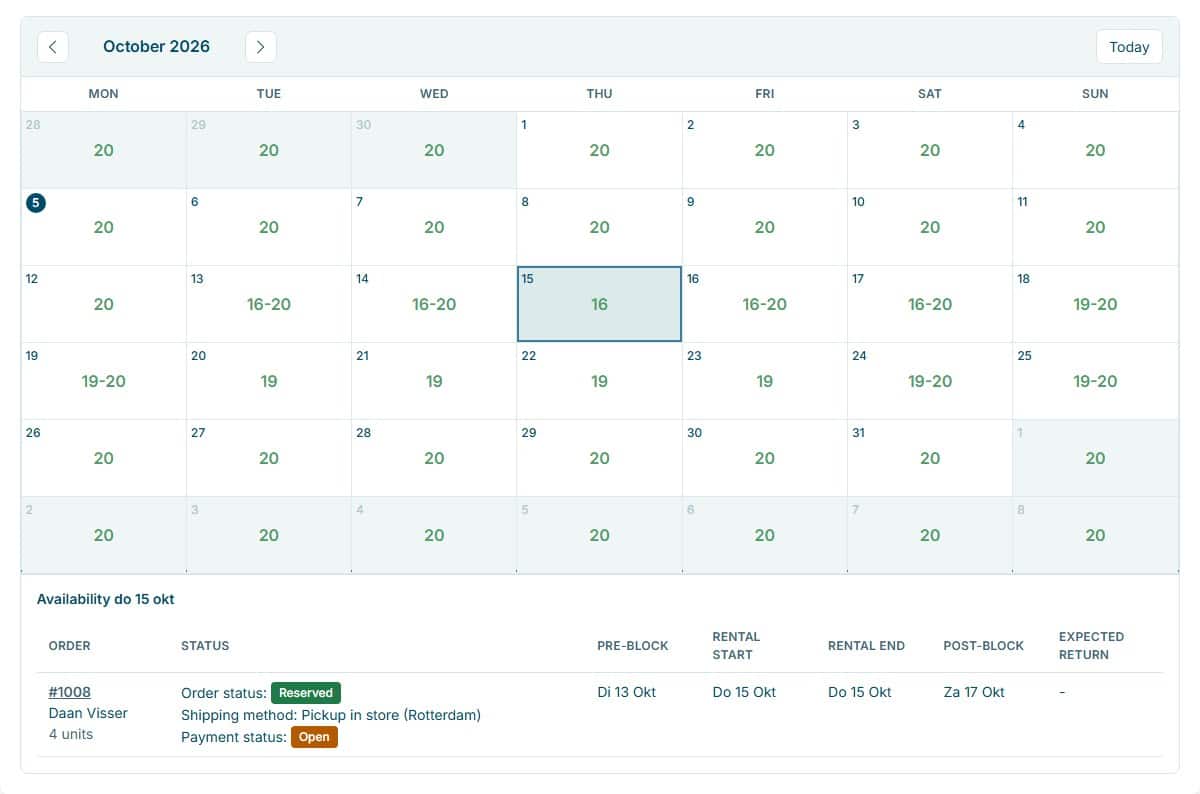
- Availability updates itself. Blocks count in real time, also outside your opening and closing times. In your dashboard the availability calendar shows per day what is still free, and for each order its pre-block, rental and post-block.
Booking blocks in the real world
The same three settings fit very different rental businesses. A few concrete setups:
| Rental type | Typical setup | What it solves |
|---|---|---|
| Event & party | Day unit, post-booking block of 1 day. | Time to clean and restock decor before the next event. |
| Tool rental | Hour unit, pre-booking block of 1 hour. | A safety check on every machine before it is picked up. |
| Vehicles & trailers | Day unit, initial booking block of 1 day. | No same-day bookings, so there is time for paperwork and route planning. |
| Camping & outdoor | Day unit, pre- and post-booking block of 1 day each. | Tents get checked before and dried after every weekend away. |
See it in action
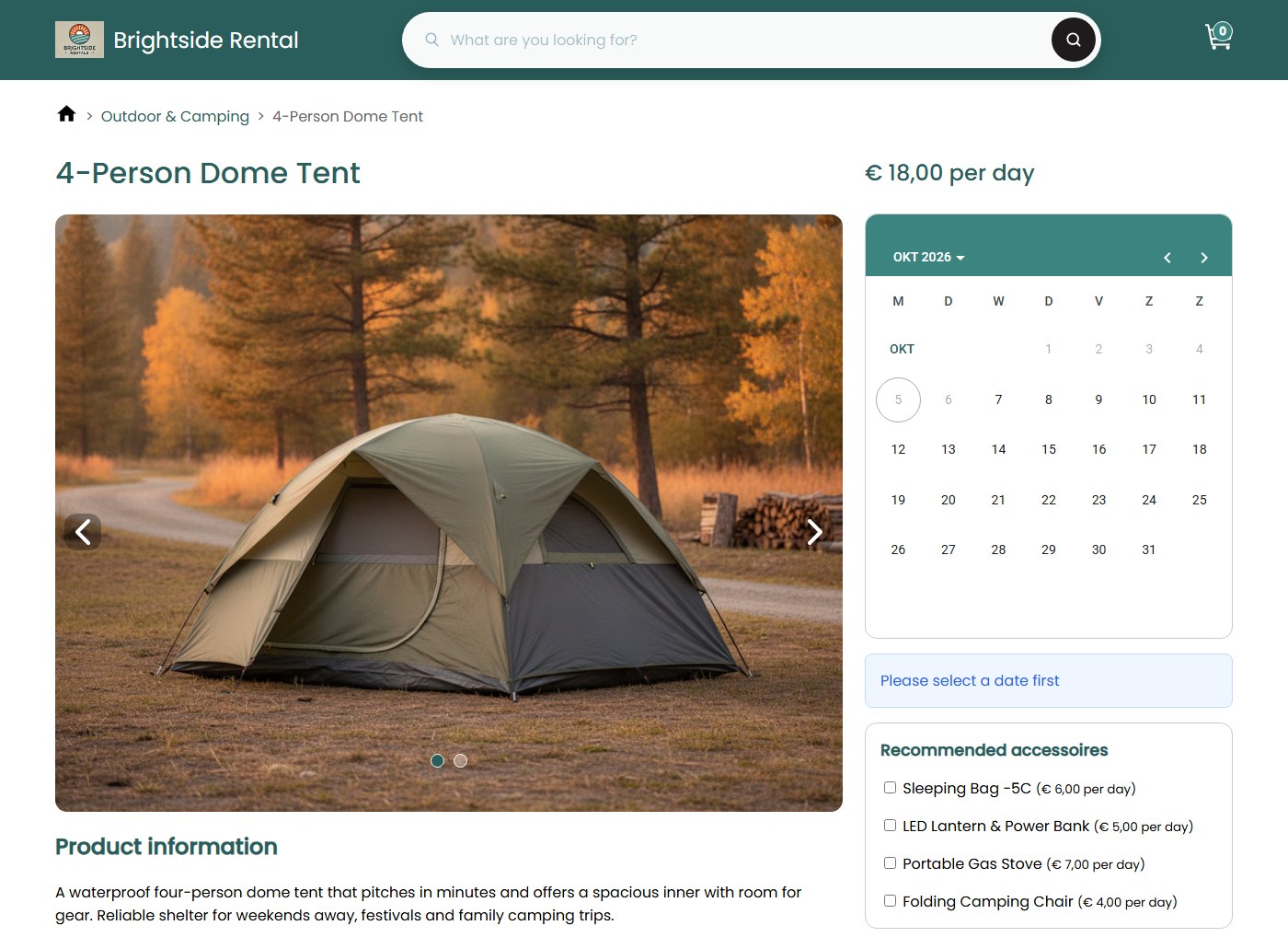
Your customer only sees dates that can really be booked. In your dashboard you see per day what is still free, blocks included.
Frequently Asked Questions
Can I set different blocks per product?
Yes. Each product has its own initial, pre- and post-booking block. A tent can get a day to dry while a speaker set goes straight back on the shelf.
In which unit do I set the blocks?
In the product’s buffer unit, which is also the unit you rent it in: minutes, hours, days or weeks. Rent by the hour and your blocks are in hours. Want several durations with their own price? That’s what flexible booking slots are for.
Does a block make the whole product unavailable?
No. Only the items in that order are held. If you have 20 tents and someone books 4, the other 16 stay bookable during the block. A date only disappears from your shop when nothing is left.
What happens when an order is returned or cancelled?
As soon as you set an order to Returned, Completed or Cancelled, its items are free again, blocks included. You don’t have to release anything by hand.