
Rent out per night, with arrival, departure and season prices
In short
- Guests pick an arrival and a departure day and pay for the nights in between. The departure day stays free for the next guest.
- You set season prices, a minimum number of nights and the days a stay can start, per product and per season.
- Cleaning, linen and tourist tax can be required extras, counted per booking or per person. Your shop and Airbnb or Booking.com share their bookings through iCal links, both ways.

Why booking per night matters
A holiday home, a camper or a boat is not rented like a bike. Guests think in nights, and your price depends on the season.
Stays that connect
The departure day of one guest is the arrival day of the next. No lost nights between two bookings.
The right price all year
High season, low season and holidays each get their own price, with their own minimum stay and start days.
The full price up front
Required costs such as cleaning, linen and tourist tax are in the total before the guest books.
How Be-Bookable solves it
- Switch on Stays and rental rules. Go to Integrations and switch on the extension Stays and rental rules. Only the owner of the shop can do this.
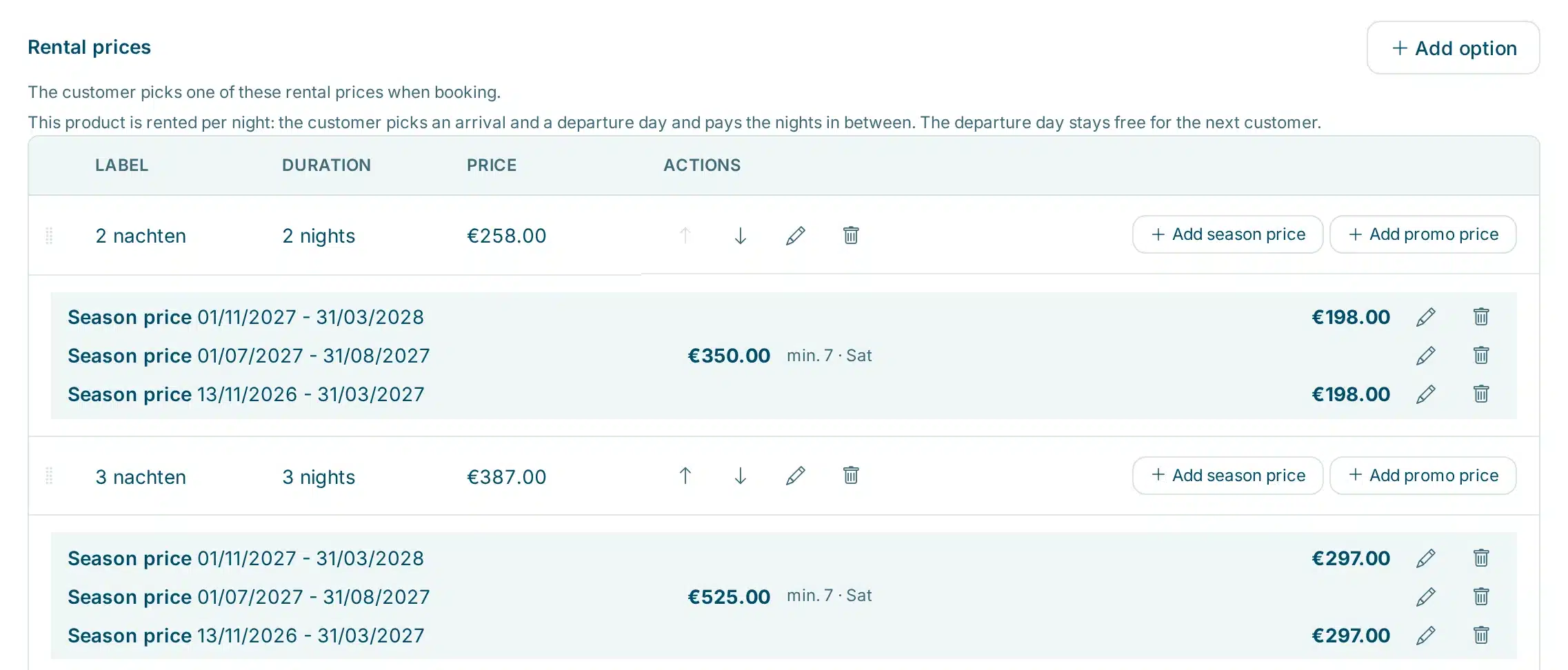
- Set a price per night. Open a product and choose per night under Rental prices. Add prices in nights or weeks. The guest picks an arrival and a departure day and pays for the nights in between. With one rate per night, the calendar in your shop shows the price on every day.
- Add season prices. Click Add season price, choose the period and enter the price. It can be higher or lower than your regular price, and the shop does not show it as a promo. A season can have its own minimum, maximum and start days.
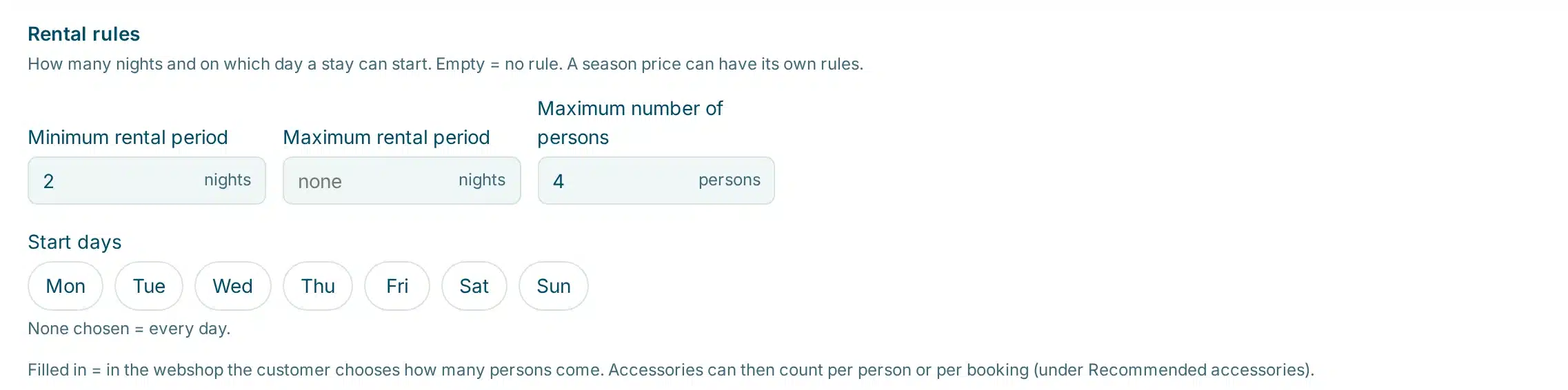
- Set your rental rules. In the Rental rules panel below the prices you set the minimum and maximum rental period, the start days and the maximum number of persons. Add a check-in and a check-out time, and guests see them in the shop and in their confirmation.
- Add fixed costs. Add cleaning, linen or tourist tax as an accessory, mark it Required and choose how it is counted: per piece, per booking or per person. See recommend accessories.
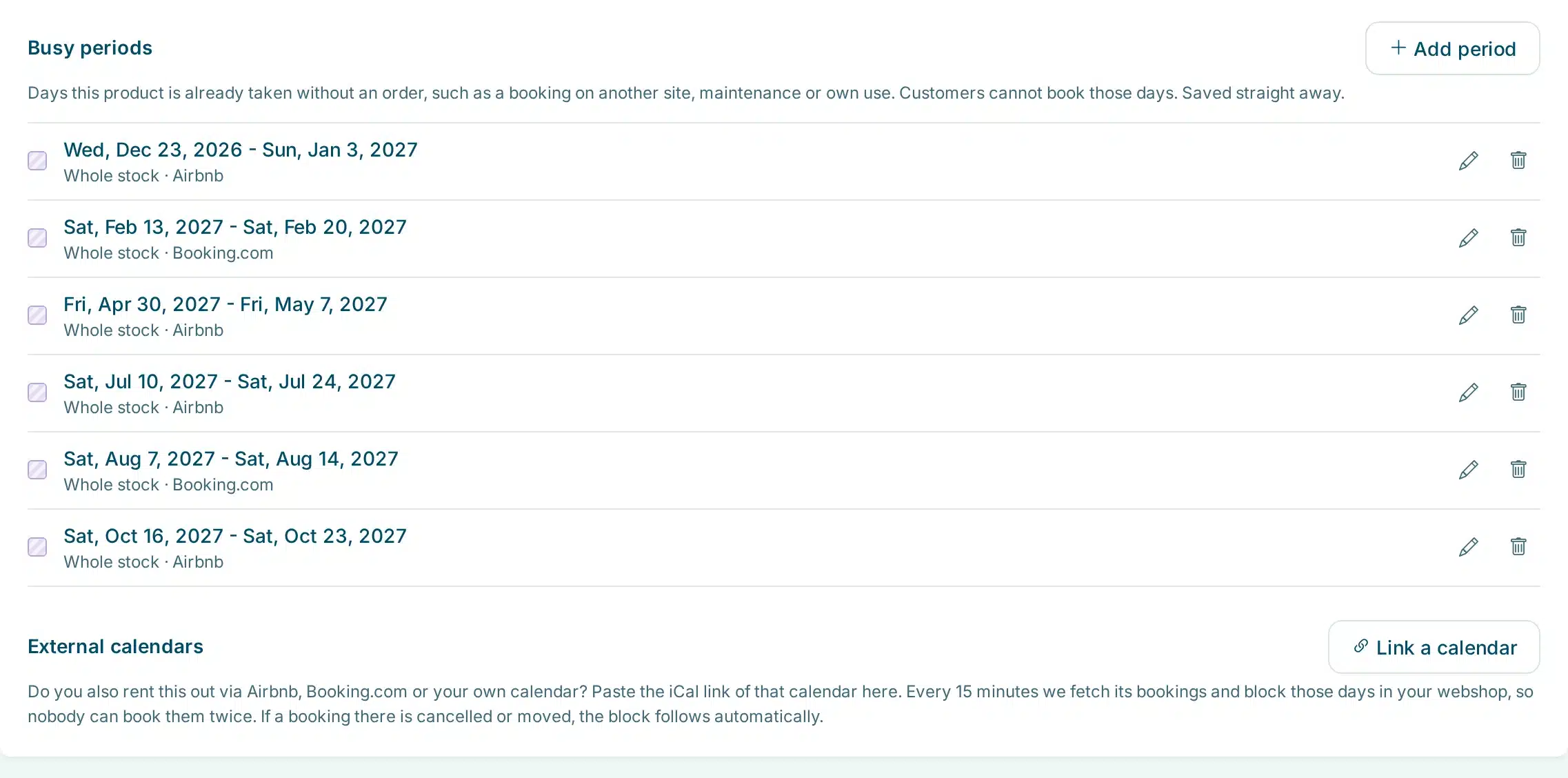
- Link your other calendars. Under External calendars, paste the iCal link of Airbnb, Booking.com or your own calendar. Every 15 minutes the bookings are fetched and those nights are marked as taken in your shop. You can also add a busy period by hand, for maintenance or your own use. Under Your calendar for Airbnb and Booking.com, click Create link and paste that link in Airbnb and Booking.com, so nights booked in your shop close there as well.
Stays per night in the real world
A few examples of how rental businesses set it up:
| Rental type | Typical setup | What the guest sees |
|---|---|---|
| Holiday home | Price per night, a higher season price in July and August, at least 7 nights from Saturday in high season. Cleaning per booking, tourist tax per person. | Only arrival days that fit, and a total with cleaning and tax included |
| Camper | Price per night, at least 3 nights, a deposit, bed linen per person as an extra. | Arrival and departure in one calendar, and what the trip costs in total |
| Boat with cabins | Price per night or per week, a maximum of 6 persons, start day Friday. | Which weeks are still free and whether the whole group fits |
| Chalet you also list on Airbnb | Linked to the Airbnb calendar both ways through iCal links. | Only nights that are really free, wherever the other bookings came from |
See it in action
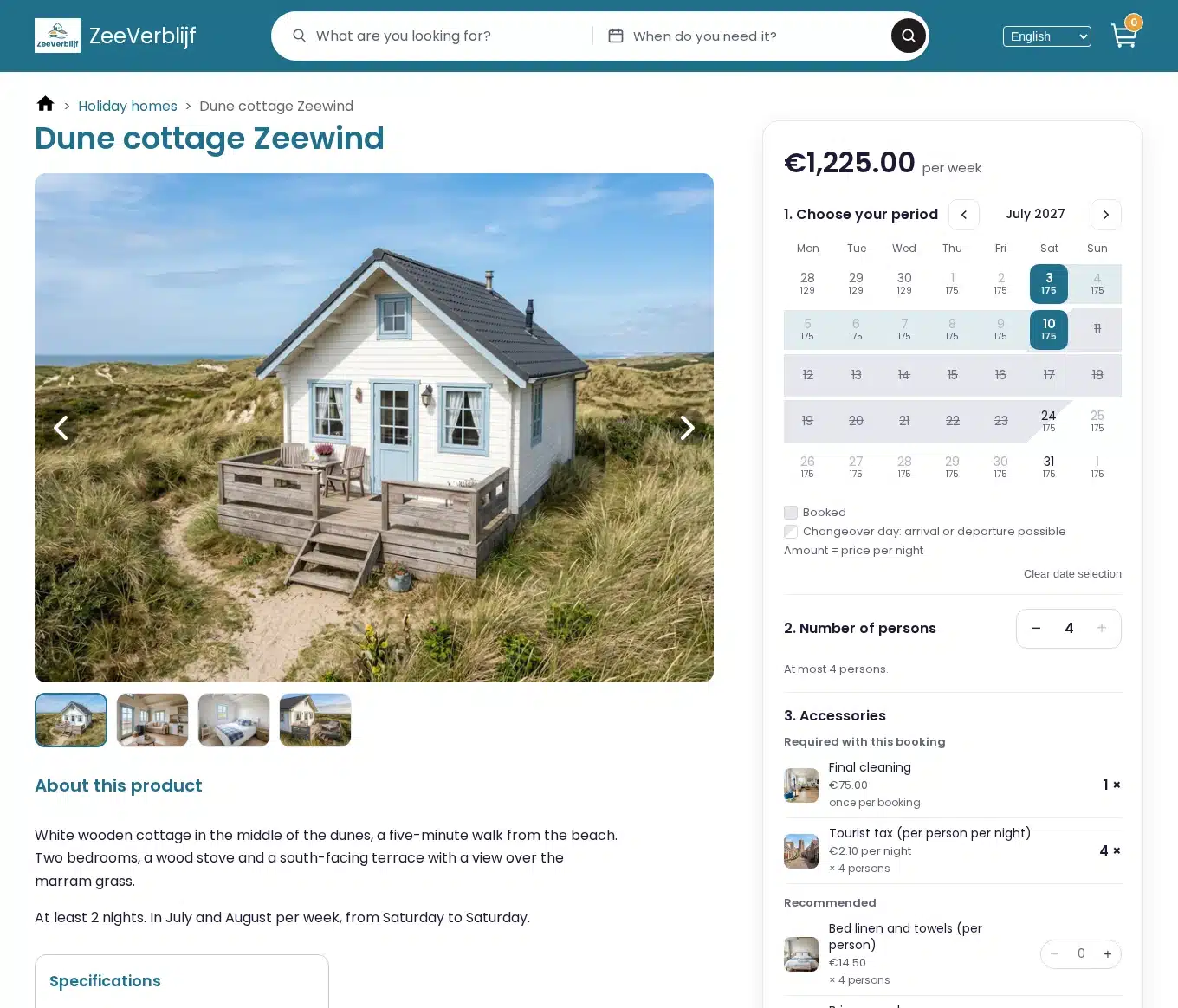
A holiday home in your shop, and the same prices and rules in your dashboard.
Book a week in a demo shop: the dune cottage at ZeeVerblijf
Frequently Asked Questions
Can I use it if I also list on Airbnb or Booking.com?
Yes. Per product you paste the iCal link of your Airbnb or Booking.com calendar. Every 15 minutes we fetch the bookings and mark those nights as taken in your shop. If a booking there is cancelled or moved, your shop follows. The other way round, you create a link per product that Airbnb and Booking.com read, so nights booked in your shop close there too. That link only shows which days are taken, no names or customer details.
Does the guest pay for the departure day?
No. The guest pays for the nights between arrival and departure. The departure day stays free, so the next guest can arrive on that same day.
Can a season have its own minimum stay?
Yes. Each season price can have its own minimum and maximum rental period and its own start days, for example at least 7 nights from Saturday in summer. Leave them empty and the rules of the product apply.
How do I charge tourist tax per person?
Add tourist tax as an accessory of the product, mark it Required and choose Per person. Set the maximum number of persons under Rental rules. The guest then enters how many persons come and the shop counts the tax for that number.
Can I rent per night and per day in the same shop?
Yes. You choose per night per product, so a holiday home per night and bikes per day or per hour can be in the same shop. A product per night can have prices in nights and weeks, not in hours.
Do guests see check-in and check-out times?
Yes. Set a check-in and a check-out time on the product, under Rental rules. When a guest picks dates, the shop shows for example: arrival Sat 10 Jul from 15.00, departure Sat 17 Jul before 10.00. The times are also in the confirmation email.