Let returning customers book faster
In short
- Customers can log in to your shop with a code by email, without a password. Guests can still book without an account.
- Logged in, customers find the details of their last order filled in at checkout, and see their orders with invoices and calendar items.
- There is nothing to set up: accounts work in your shop and in the booking widget on your own website.

Why customer accounts matter
Returning customers type the same name and address every time they book. With an account they log in and find their details and past orders ready.
No password
Customers type their email address and get a 6-digit code. Only an address that ordered at your shop before gets one.
Details filled in
At checkout, the details of the last order are filled in. Customers can still change everything.
Orders in one place
Every order with its status, period and total, with the invoice and a calendar item to download.
How Be-Bookable solves it
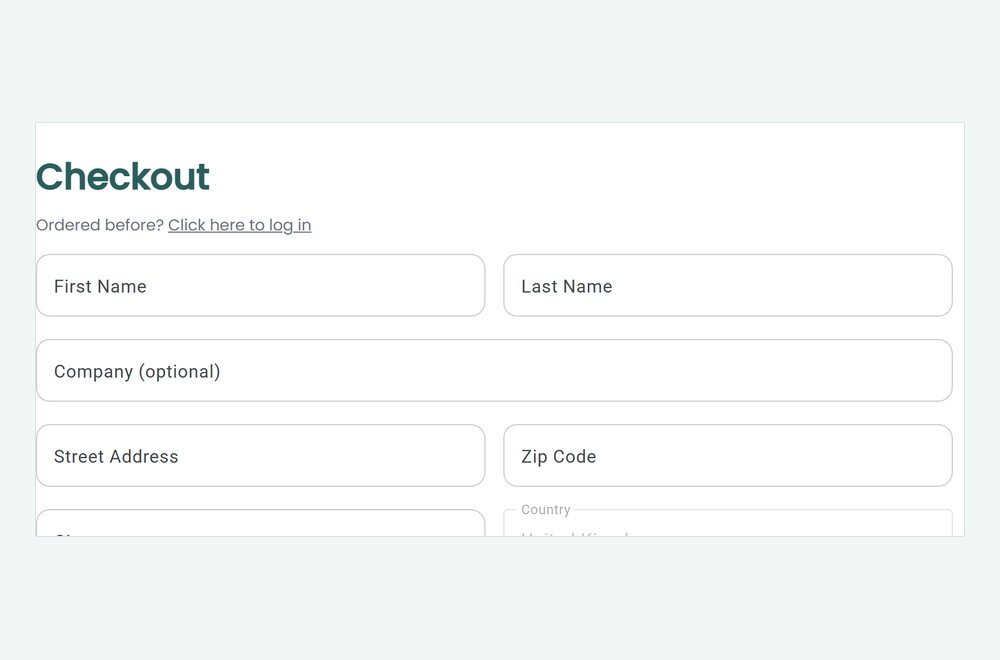
- Customers log in. In your shop, customers click Log in at the top, or Ordered before? Click here to log in at checkout. They type their email address and get a code that works for 15 minutes.
- Or they save their details. At checkout, customers can tick Save my details for next time. The account is made together with the order.
- They book faster. At the next checkout, the details of their last order are filled in, and they can change them. They stay logged in on that device for a year.
- They find their orders. Under My account, customers see their orders with status, period and total, and download the invoice or add the rental to their calendar. They can also log out or delete the account. Their orders stay with you.
Customer accounts in the real world
Who gains the most from an account:
| Rental type | Returning customer | What the account saves them |
|---|---|---|
| Party rental | Event planner who books every month | Retyping details, and searching for invoices |
| Bike rental | Family that rents every summer | Retyping details, and remembering last year’s booking |
| Audio and video | DJ with regular gigs | A calendar item per booking and every invoice in one list |
| Tool rental | Contractor with short rentals | A quick checkout on the phone |
See it in action
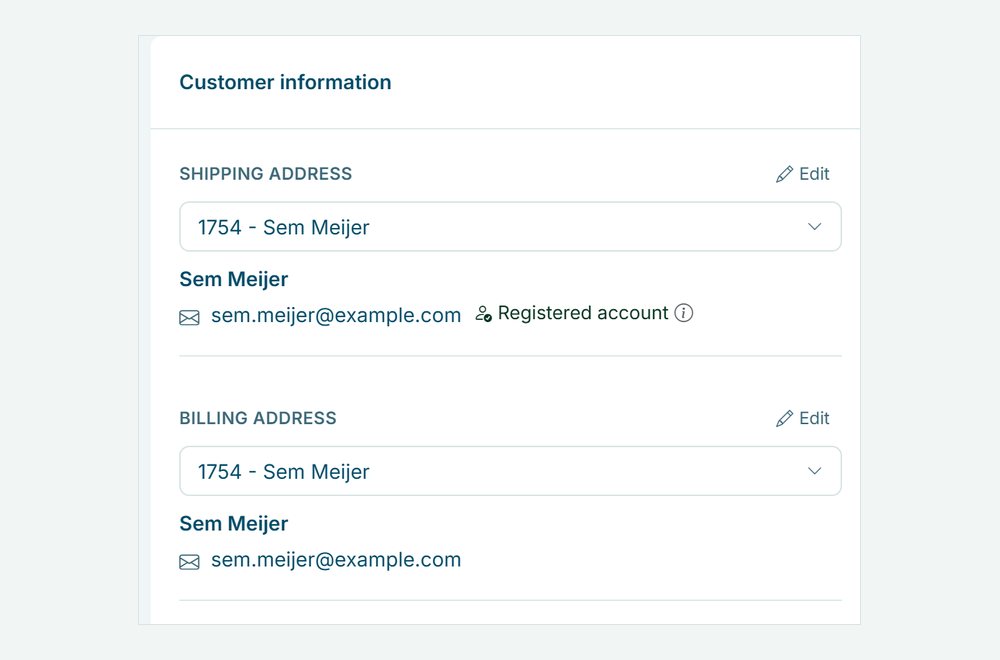
The login line at checkout, and the Registered account badge on the order in your dashboard.
Frequently Asked Questions
Do customers need an account to book?
No. Booking as a guest stays the default. An account is optional, for the customers who want one.
How do I see whether a customer has an account?
On the order in your dashboard, the customer card shows Registered account when the customer’s email address has an account at your shop.
Does one account work in every Be-Bookable shop?
No. An account belongs to one shop. A customer who rents from two shops logs in to each shop on its own.
In which language is the login email?
The email with the login code follows your shop language: Dutch, German or English, see custom language settings.