Rent out any product by the minute, hour, day, or week
In short
- Offer several rental durations per product (hour, day, week, whatever fits), each with its own flat price.
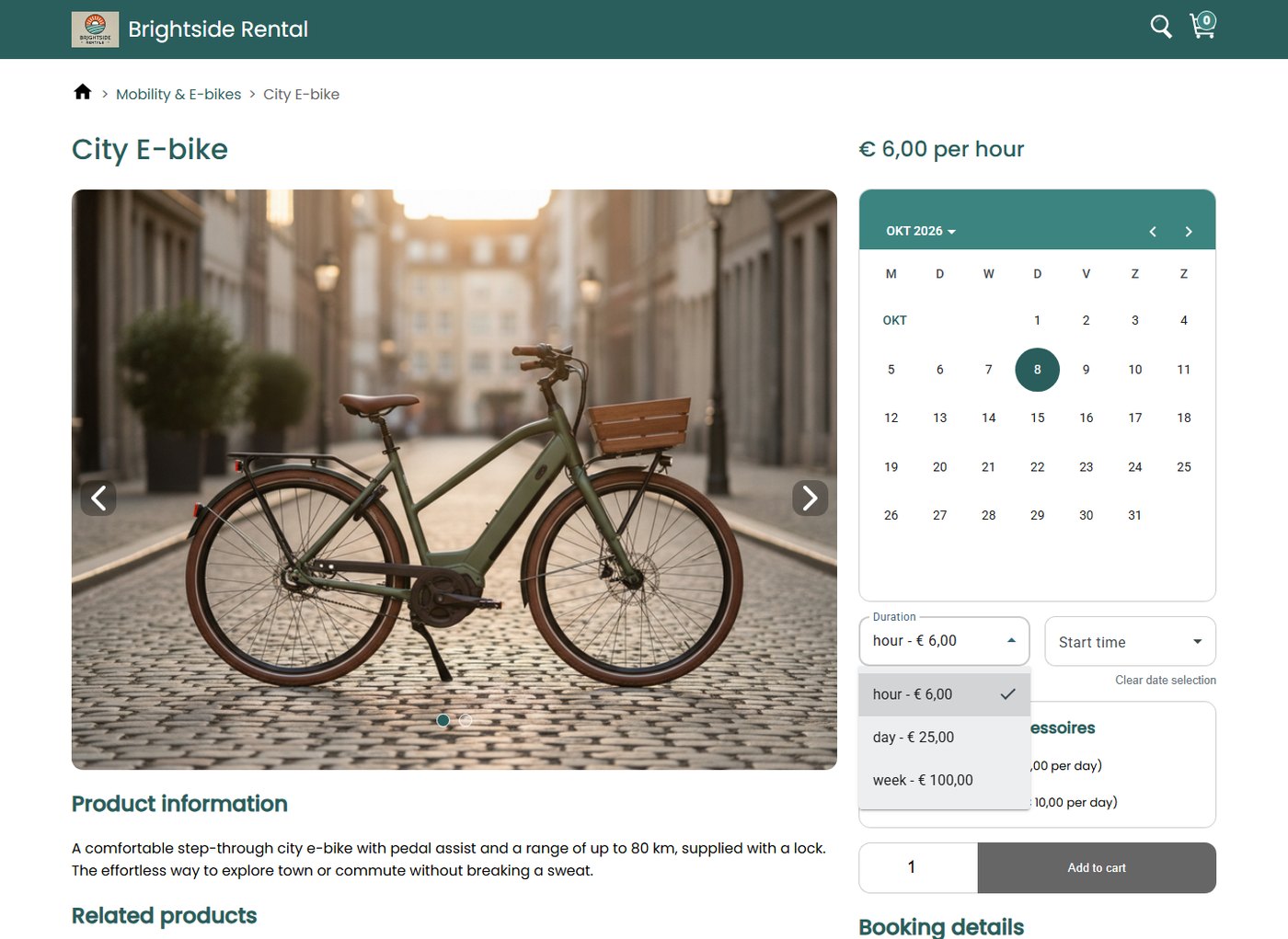
- Customers choose their duration from a dropdown at checkout, and the total price updates instantly.
- Automatic pre- and post-booking buffers keep time free for cleaning, checks, and turnaround.

Why flexible booking slots matter
Matching your booking structure to how people actually rent does three things at once.
Reach new customers
Offer quick hourly rentals alongside long-term hires and open up segments a fixed daily rate would miss.
Fewer scheduling headaches
Your booking calendar matches how you actually work, day in, day out.
Protect your operations
Guarantee the exact prep time you need between two customers, automatically.
How Be-Bookable solves it
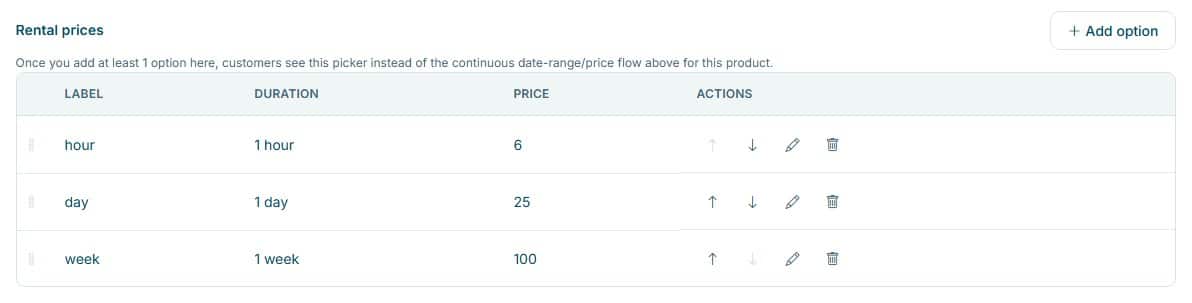
- Add duration options to a product. In the product’s Rental prices, add each option and its flat price, for example hour €6, day €25, week €100. The cheapest option becomes the “from” price on the product card.
- Set your booking blocks. Choose seamless back-to-back rentals, or add a pre- or post-booking buffer per product for cleaning, maintenance, or a safety check.
- Customers pick a duration. On the product page they choose a date, a duration from the dropdown, and (for sub-day rentals) a start time. The dates and total price update live.
- Availability stays accurate. Be-Bookable calculates availability down to the minute, with buffers and your opening and closing times included, so your storefront only shows slots that are genuinely free.
Flexible slots in the real world
The same feature powers very different rental businesses. A few concrete setups:
| Rental type | Typical setup | What it unlocks |
|---|---|---|
| Micro-mobility | Hour €6, day €25, week €100 on one e-bike. | Quick city trips and multi-day hires from the same product, with high daily turnover. |
| Tools & DIY | An hourly rate right next to a weekly rate. | A cheap hour for a quick fix and a full week for a renovation, side by side. |
| Event & party | Per-day slot plus a post-booking buffer. | Weekend rentals with cleaning and turnaround time blocked automatically before the next booking. |
| Vehicles & trailers | Per-day slot plus a pre-booking buffer. | A built-in window for mandatory safety checks and paperwork before every handover. |
See it in action
Your customer picks a duration on the product page. You set the options and prices in your dashboard.
Frequently Asked Questions
Can I combine different duration types for one product?
Yes. You can add several duration options to the same product, each with its own flat price. Your customer then picks the one that fits, for example by the hour, the day or the week, straight from a dropdown on the product page. Add a single option and it becomes the set rental length; add more and your customer chooses.
How do the pre- and post-booking blocks work?
When a customer books a slot, the system automatically reserves a hidden block before, after, or around the rental. These booking blocks are set per product, so no one else can book the item during your cleaning or turnaround window.
Does the system prevent overbooking on short rentals?
Yes. Be-Bookable tracks your inventory in real time down to the exact minute and enforces your durations and buffers instantly, so your storefront only shows slots that are genuinely available.
Can I charge a different price per duration?
Yes. Every duration option has its own flat price, and the cheapest one shows as the “from” price on the product card, so customers always see your entry point first.