
Every booking comes with a ready-made invoice, without typing a thing
In short
- Be-Bookable creates a PDF invoice for every order and attaches it to the order emails.
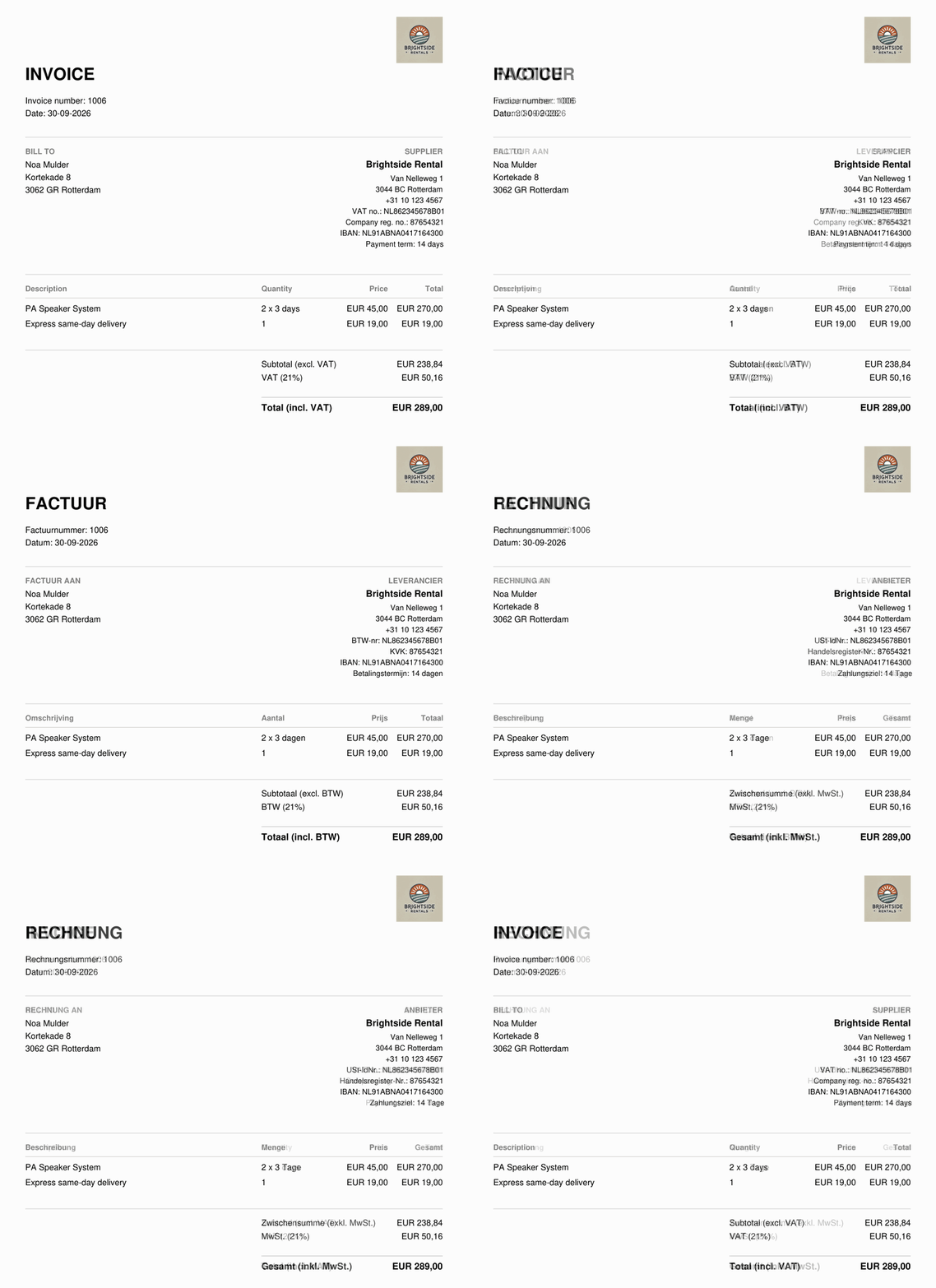
- The invoice is in the language of the order: German, English, French or Dutch.
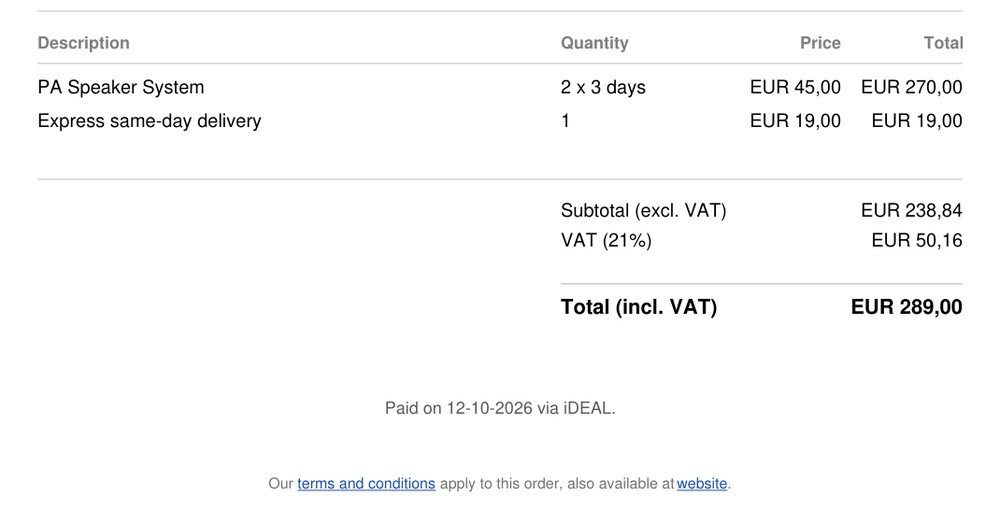
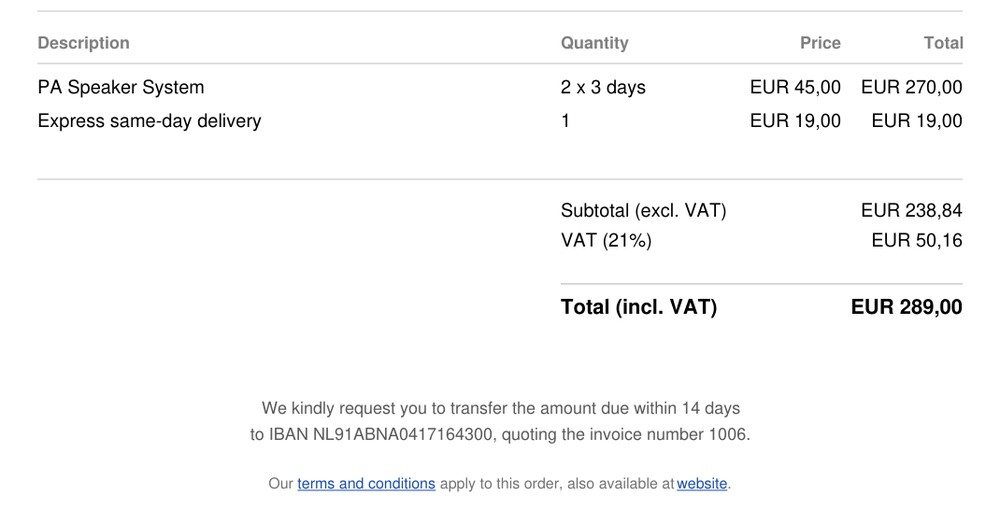
- Paid online? The invoice says when and how. Not paid yet? It asks for a transfer to your IBAN.
Why automatic invoices matter
Writing an invoice for every booking takes time, and it is easy to forget one or copy a wrong amount.
No admin after a booking
The invoice is made from the order itself, so there is nothing to type or copy.
Always the right amounts
Rental periods, shipping, VAT and the total come straight from the order.
Clear about payment
Customers see at a glance whether they still need to pay, and how.
How Be-Bookable solves it
- Fill in your details once. Under Business Details, add your address, VAT number and company registration number, and upload your logo. Under Payment Details, add your IBAN and payment term.
- A customer books. Be-Bookable creates the invoice with a number from your own series (2026-0001, 2026-0002 and so on), the rental lines, shipping, VAT and the total.
- It goes out with the order emails. The PDF is attached to the status emails your customer receives, and to the new-order email you get yourself.
- Paid or not, it stays correct. Orders paid with online payments say when and how they were paid. Otherwise the invoice asks for a transfer within your payment term. Once it went out, the invoice does not change. Do you cancel or change the order afterwards? Then your customer gets a credit note, and a new invoice when needed.
What the invoice shows
Everything comes from your settings and the order, so you never type it twice:
| Part | What it shows | Where it comes from |
|---|---|---|
| Header | Your logo, invoice number and date | Shop logo and the own invoice series of your shop |
| Your details | Address, phone, VAT number, registration number | Business Details |
| Customer | Name and invoice address | The checkout |
| Lines | Products with quantity and rental period, plus shipping | The order |
| Payment | Paid on a date via a method, or a transfer request | Payment status and Payment Details |
Frequently Asked Questions
Do I have to switch anything on?
No. Every order gets an invoice automatically. Just fill in your business and payment details once.
In which language is the invoice?
In the language the customer booked in: German, English, French or Dutch. If your shop has one language, every invoice is in that language. See language settings.
Can I download or resend an invoice from my dashboard?
Yes. In the order, under Order notes, every invoice and credit note has a download button. To resend it, use the status email: it carries the invoice. For your accountant, you can download the invoices and credit notes of a whole period at once as UBL files, from the Orders page.
Which logo formats work?
Upload your shop logo as PNG, JPG or WebP to show it on the invoice. SVG and GIF are left off for now.
Can I send a rental agreement with the invoice?
Yes. Switch on the rental agreement and every order also gets a contract PDF with your terms. It goes with the order confirmation, next to the invoice. If the order changes later, a new version is made and the old one stays. More on the rental agreement.