Charge the right delivery price for every address
In short
- If you deliver yourself, a shipping option can cost a price per zone of postcodes, or a price per kilometre from your shop address.
- Customers see the delivery price as soon as they type their postcode at checkout. If you do not deliver there, the option disappears with a short message.
- The zone or distance stays with the order, so the confirmation, the invoice and the export show what the price was based on.

Why delivery costs by zone matter
One fixed delivery price is too high for customers around the corner and too low for customers far away. A price per zone or per kilometre fits every address.
Per zone
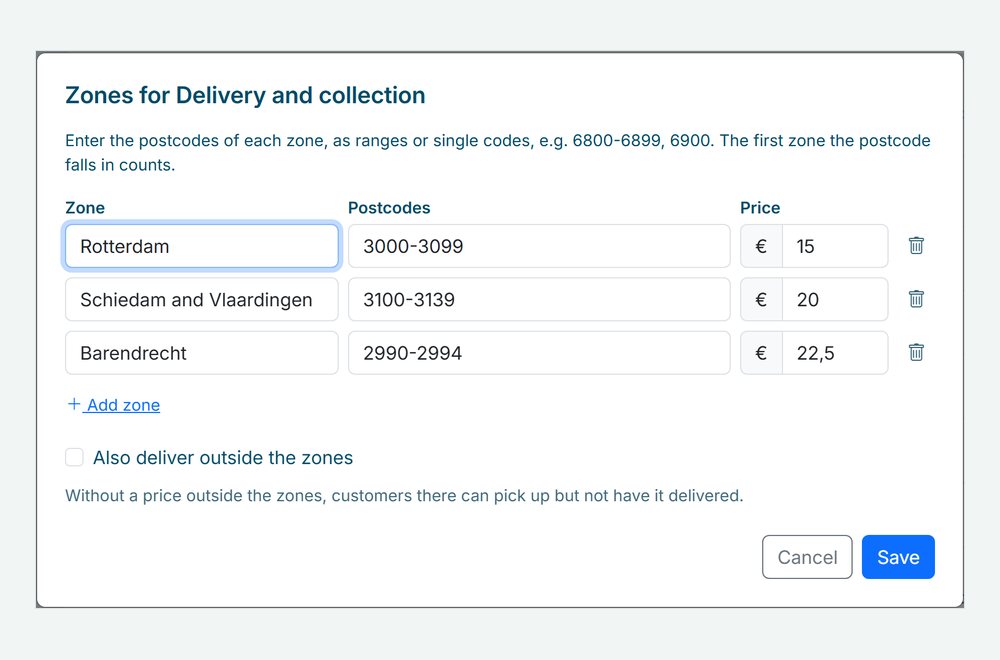
Group postcodes into zones, such as 3000-3099, each with its own price. Choose whether you also deliver outside the zones, and for what price.
Per distance
A base price, free kilometres and a price per kilometre, measured from your shop postcode. Set a maximum distance if you want.
Right at checkout
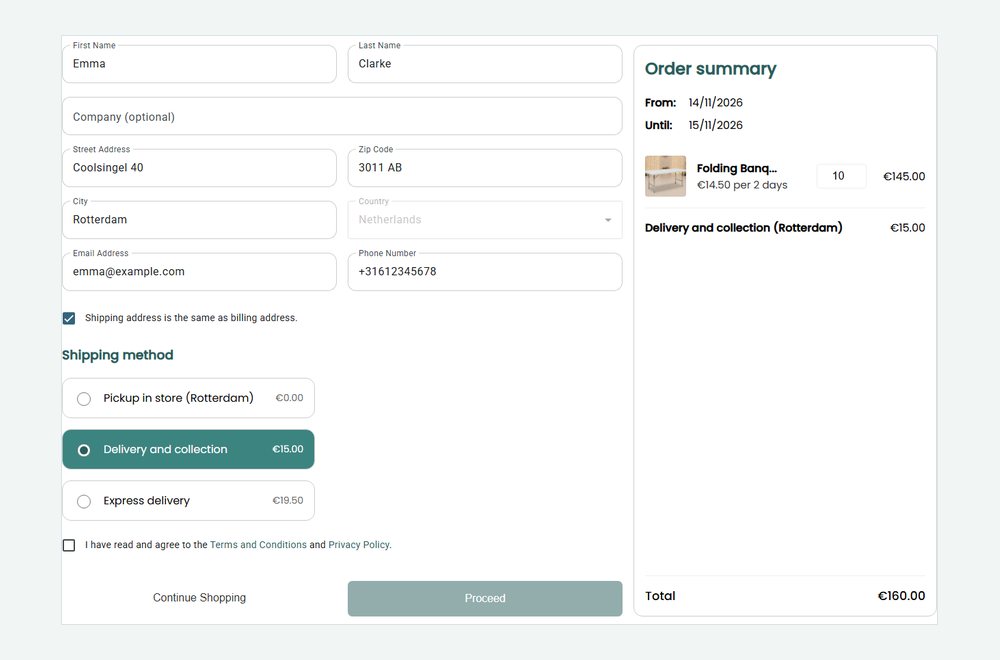
The price appears as soon as the customer types a postcode, and the total follows. Options you cannot deliver are left out.
How Be-Bookable solves it
- Switch it on. Under Integrations, open the card Delivery cost per zone or distance and switch it on.
- Choose a pricing model per option. Under Shop settings, in Shipping details, choose Fixed, Per zone or Per distance for each shipping option, see custom shipping options.
- Set the zones or the distance. For a zone option you enter postcode ranges with a price. For a distance option you enter a base price, free kilometres, a price per kilometre, a maximum distance and a correction factor.
- Customers see their price. At checkout the price follows from the postcode. The zone or distance appears next to the option in the order summary, the confirmation and the invoice.
Delivery costs in the real world
A few examples of how rental companies price delivery:
| Rental type | Pricing | Example |
|---|---|---|
| Party rental | Per zone | €15 in the city, €25 in the towns around it |
| Bouncy castle rental | Per distance | €20 base price, the first 10 km free, then €1 per km |
| Furniture rental | Per zone with a price outside the zones | €30 in your own region, €60 anywhere else in the country |
| Equipment rental | Per distance with a maximum | €1.50 per km, up to 50 km |
See it in action
The delivery price at checkout, and the zones of a shipping option in your dashboard.
Frequently Asked Questions
How is the distance measured?
In a straight line from your shop postcode to the postcode of the customer, rounded up per started kilometre. The road is longer than a straight line, so you can add a correction factor: 1.3 adds 30%.
What does a customer see when I do not deliver to their address?
The option disappears from the checkout, with a short message that it is not available at that address. Your other options, such as pickup, stay available.
Which countries does it work for?
Zones use the postcodes of the country your shop is registered in. The distance works for shops and customers in the Netherlands, Belgium and Germany. A zone or distance option is only offered for addresses in the country of your shop.
What about orders I create myself in the dashboard?
When you create an order in your dashboard, the delivery price is calculated from the address of the customer in the same way. You can also type a different price yourself.