See how your rental business is doing, at a glance
In short
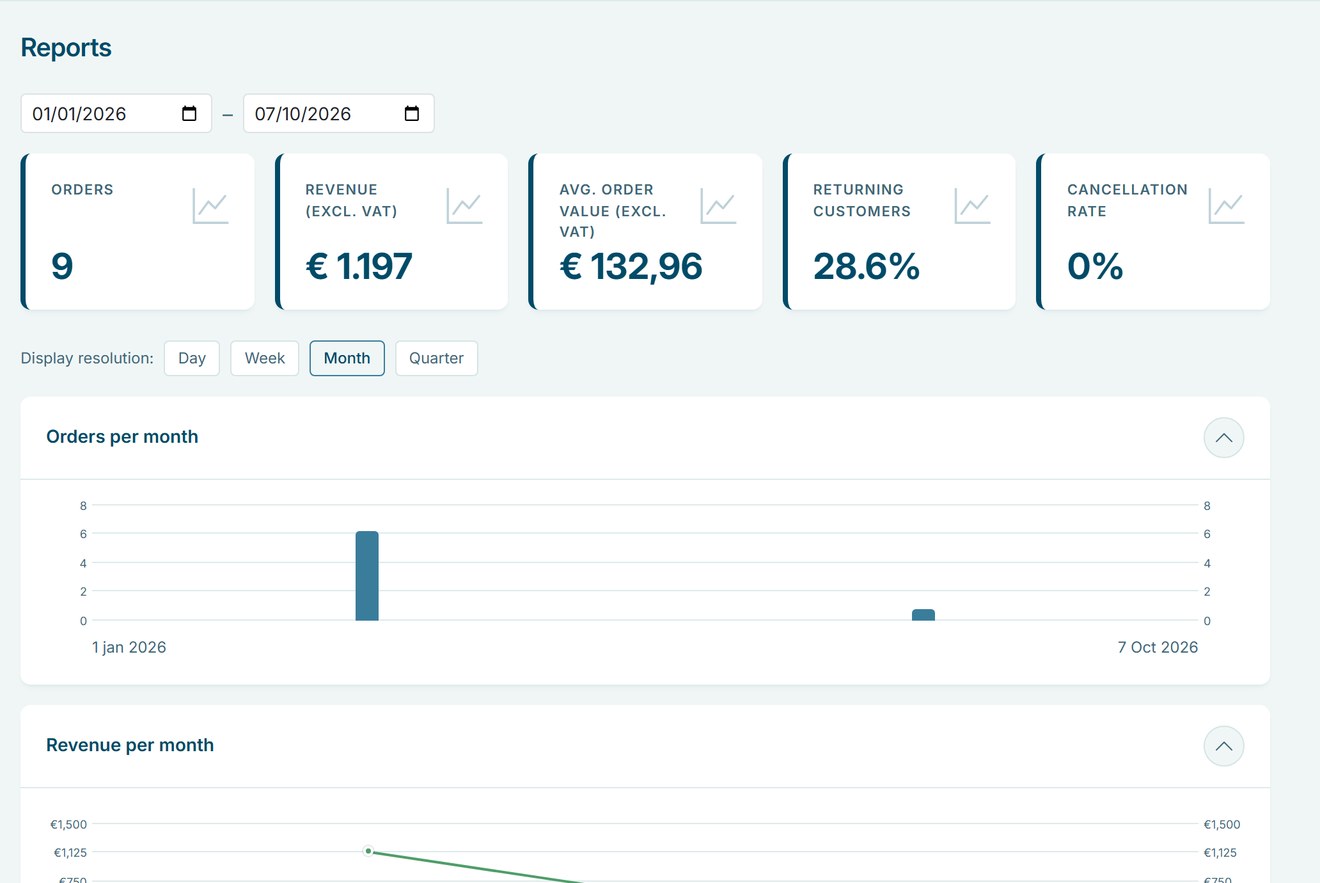
- Revenue excluding VAT, orders, average order value, returning customers and cancellation rate.
- Compare any period with the same period last year.
- View by day, week, month or quarter, with the exact figures in a table.

Why reports matter
Good decisions about stock, prices and staff start with knowing what sells and when.
Know your numbers
Revenue, orders and average order value are up to date whenever you open the page.
Spot trends
Compare with last year and see per week or month where you grow.
Know your best sellers
The top 10 shows which products are rented most.
How Be-Bookable solves it
- Open Reports. In your dashboard, click Reports in the sidebar.
- Choose a period. Pick a start and an end date. Every key figure is compared with the same period one year earlier.
- Pick a resolution. Show the charts by day, week, month or quarter. The table below lists the exact figures per period.
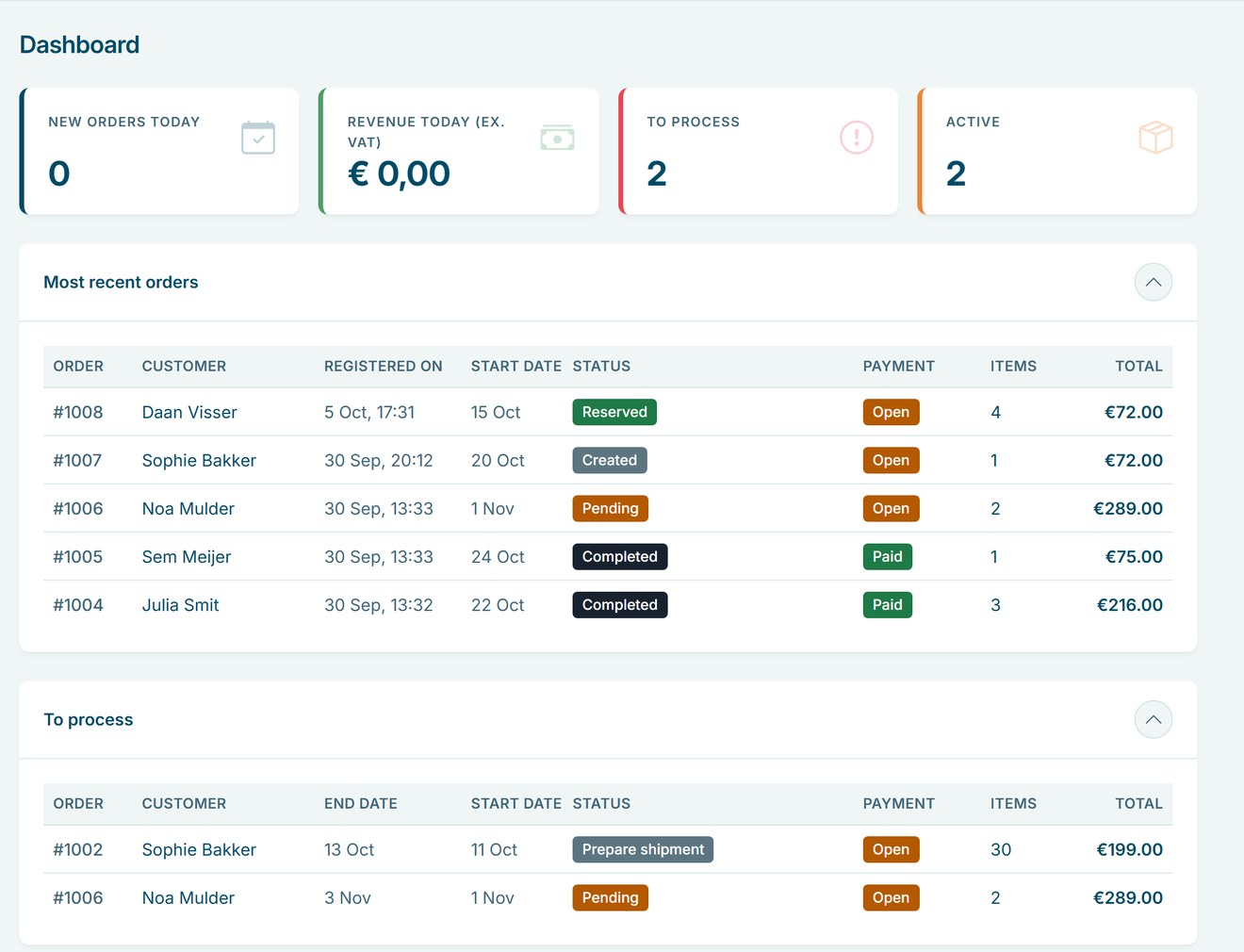
- Check your day. The Dashboard shows today’s new orders and revenue, the orders that need processing and the rentals that are active, all linked to your orders.
Reports in the real world
A few questions rental businesses answer with their reports:
| Question | Where to look | What it tells you |
|---|---|---|
| Busier than last year? | Revenue and orders | The change compared with the same period last year |
| What to stock more of? | Most rented products | Your top 10 for the period |
| Do customers return? | Returning customers | The share of customers who booked before |
| Many cancellations? | Cancellation rate | Whether to look at your terms or deposits |
| Value per booking? | Average order value | Whether bundles and extras pay off |
Frequently Asked Questions
Which orders count towards revenue?
Revenue is excluding VAT and leaves out cancelled orders. All figures are grouped by the date the order was placed.
Can I export the figures?
Not yet. The table shows the exact figures per period, which you can copy.
Can team members see the reports?
Only if their role has access to Reports. As the owner, you decide this per role under Users & roles.
Does it show website traffic?
No. Reports cover your orders and customers, not visits to your shop.