
Run your rental shop from your own AI assistant
In short
- Connect Claude, ChatGPT or Cursor to your shop and ask in your own words, such as which e-bikes are fully booked next weekend.
- It reads your products, orders, availability, opening hours and sales, and it can change product texts, stock, opening hours, rental prices and promo prices.
- Only you, the owner, approve the connection. It never sees the contact details of your customers, and every change is listed in the app.

Why an AI assistant for your rental shop
Small questions and quick changes add up to a lot of clicks: which bikes are free on Saturday, what did October bring in, put the tents on promotion. Ask it in one sentence and the assistant looks it up or makes the change in your own shop.
You approve, nobody else
Only the owner of the shop can approve a connection. You log in, check the assistant and the shop, and type the shop name to confirm.
No customer data
Orders come with a short name, such as Jan J. The assistant never sees an email address, phone number, address or note, and it cannot cancel, refund or send emails.
Every change on record
The app lists the 50 latest changes with the value before and after. A connection ends after 90 days, and Switch off stops every connection at once.
How to connect your AI assistant
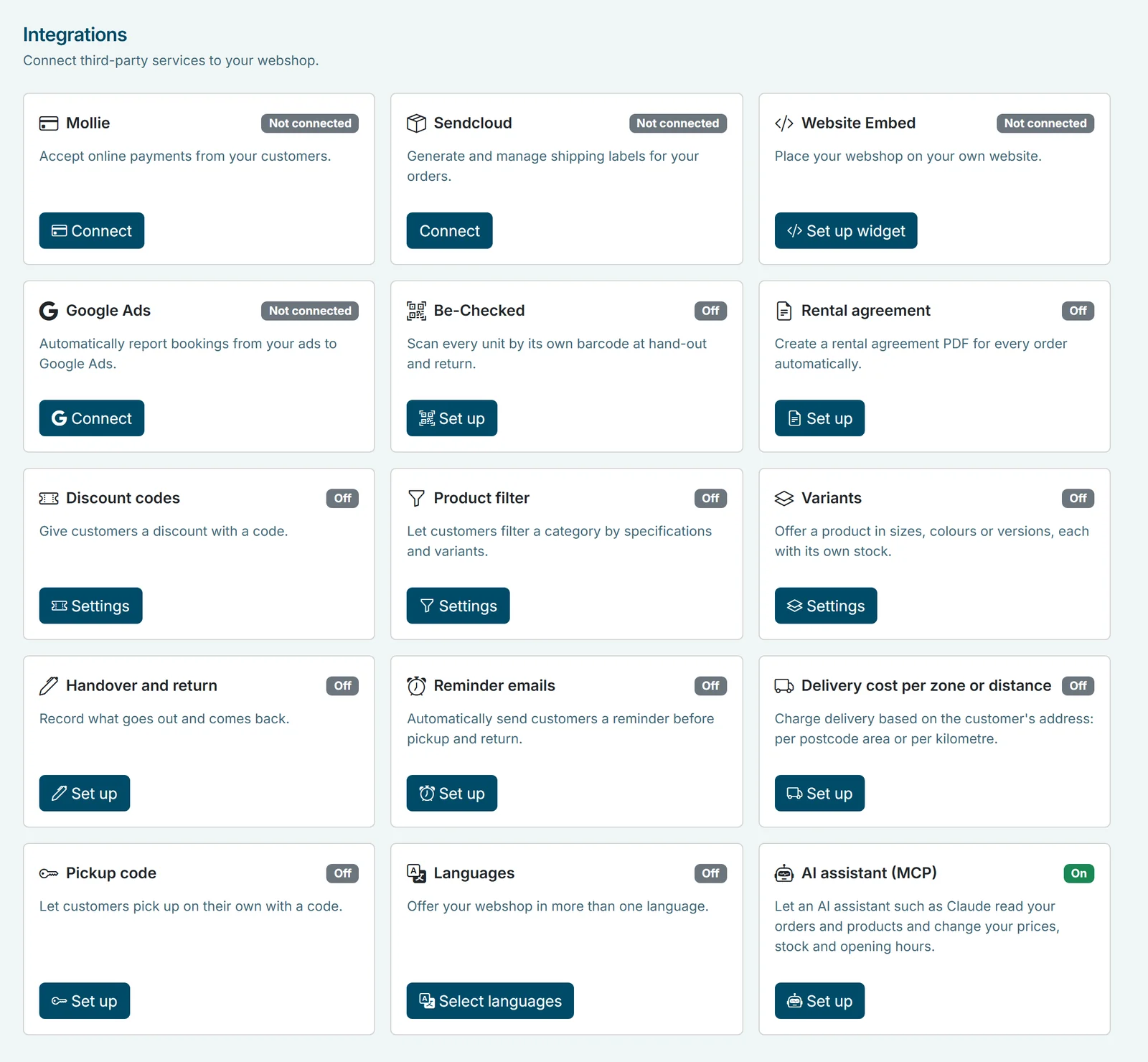
- Switch it on. In the Be-Bookable app, go to Integrations and open the card AI assistant (MCP). Select Switch on. Only the owner of the shop can do this.
- claude.ai or ChatGPT: add a connector. Open the connector settings of your assistant, add a custom connector and paste this address:
https://mcp.be-bookable.com/mcp
In claude.ai you find this under Customize > Connectors, and a free account is enough. ChatGPT needs a paid plan and developer mode. Never used Claude? Follow the 5-minute guide. - Claude Code, Cursor or Claude Desktop: run the installer. Run one of these commands in a terminal, then restart the client:
npx @be-bookable/mcp installnpx @be-bookable/mcp install --client cursornpx @be-bookable/mcp install --client claude-desktop
The first command is for Claude Code. - Log in and approve. The assistant sends you to the Be-Bookable app. Log in as the owner, check the name of the assistant and of your shop, type the shop name and select Approve. You then go back to the assistant.
- Ask away. Ask a question or give a task in your own words. Want to stop? Select Disconnect for one assistant, or Switch off for all of them.
What you can ask
A few examples from a rental business:
| You ask | What the assistant does | Reads or changes |
|---|---|---|
| Which e-bikes are fully booked next weekend? | Checks each e-bike for those dates, with opening hours, buffers and stock counted | Reads |
| How much revenue did I make last month? | Counts the orders and the revenue of that month; cancelled orders bring no revenue | Reads |
| Which orders are still unpaid? | Goes through your orders and their payment status, with a short customer name only | Reads |
| Put the party tents on promotion in November. | Sets a promo price on the rental price of the party tents from 1 to 30 November | Changes |
| From now on we open at 10:00 on Saturdays. | Changes the opening hours of Saturday; the other days stay as they are | Changes |
| We have two more SUP boards. | Raises the stock of the SUP board by two | Changes |
| Hide the old tent in the shop. | Sets the product to hidden | Changes |
What it can and cannot do
- Read: products, orders without email, phone, address or notes, availability, opening hours and sales.
- Change: the visibility and texts of a product, stock, opening hours, rental prices and promo prices.
- Not: cancel or refund an order, send an email, or see the contact details of your customers. It works with the data of your own shop only.
See it in action
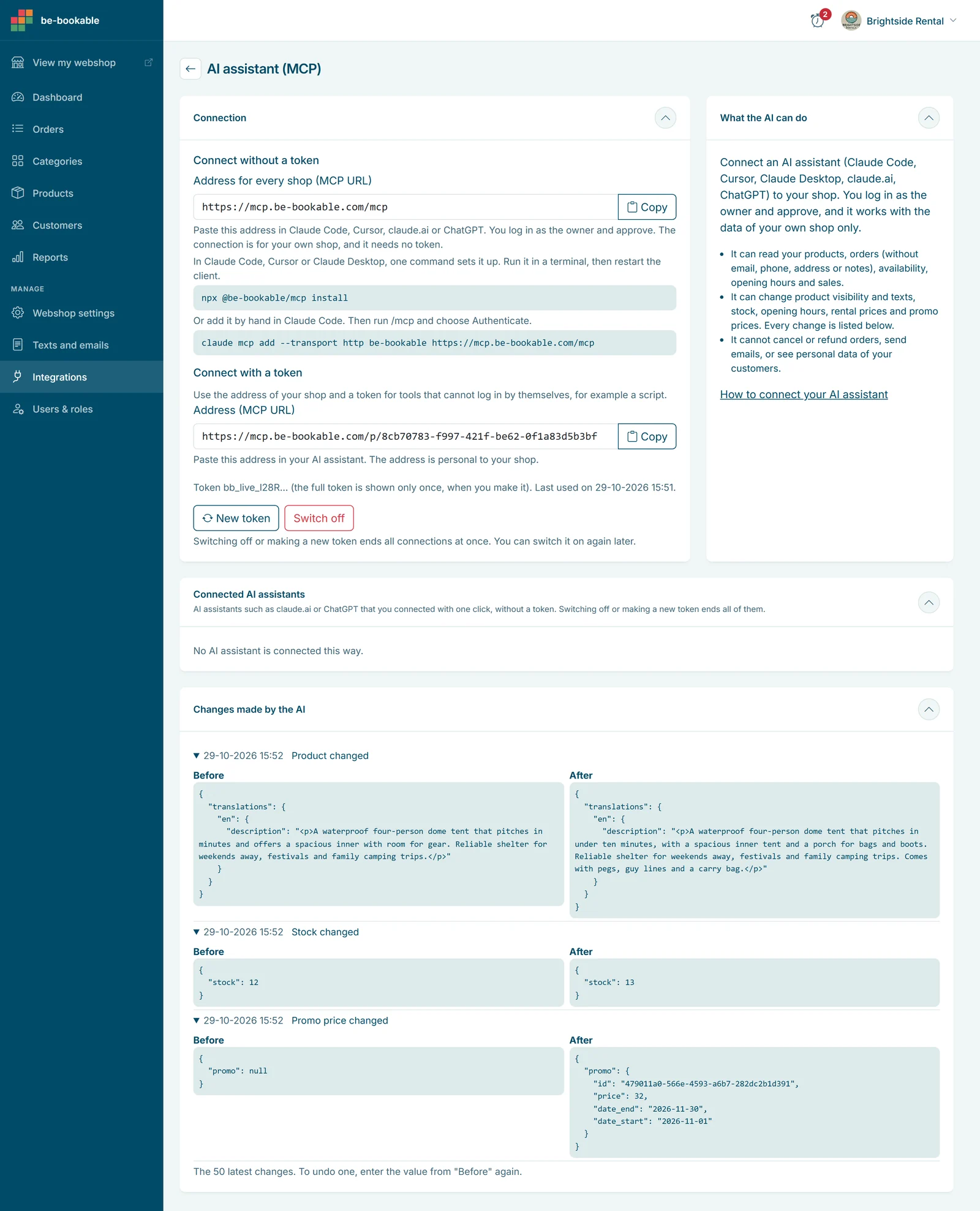
The AI assistant page in the app: the address for every shop and the installer, then the connected assistants and the changes made by the AI, with the value before and after.
Frequently Asked Questions
Does it work with ChatGPT?
Yes. Add Be-Bookable as a custom connector in ChatGPT with the address https://mcp.be-bookable.com/mcp. ChatGPT needs a paid plan and developer mode for this. It also works with claude.ai, Claude Desktop, Claude Code and Cursor.
Does it cost extra?
No. The AI assistant is in every Be-Bookable plan, see pricing. With a free claude.ai account it costs you nothing at all. For ChatGPT you need a paid plan.
Can a team member connect it?
No. Only the owner of the shop can switch it on and approve a connection. A team member who opens the approval link sees a message and cannot approve. Read more about users and roles.
Can the assistant see the details of my customers?
No. Orders come with a short name, such as Jan J., and never with an email address, phone number, address or note. The assistant only sees your own shop.
How do I undo a change?
Every change is in the app under Changes made by the AI, with the value before and after. Enter the old value again, or ask the assistant to do it for you.
How long does a connection last?
90 days. After that the assistant asks for your approval again. You can end a connection earlier with Disconnect. Switch off or a new token ends all connections at once.
What is MCP?
MCP (Model Context Protocol) is an open standard that lets an AI assistant use the tools of another service. Be-Bookable offers these tools for your shop, so there is nothing for you to build.