
Get your rental revenue into your accounting
In short
- For now this works with an export: you download your orders of a month or quarter and import the file in your accounting software, or send it to your accountant.
- Choose a CSV with one row per order or per product, or a zip with one UBL invoice per order.
- An automatic link that sends paid invoices straight to Moneybird or e-Boekhouden is on our roadmap. Until then the export does the work.
Why an export for your accounting
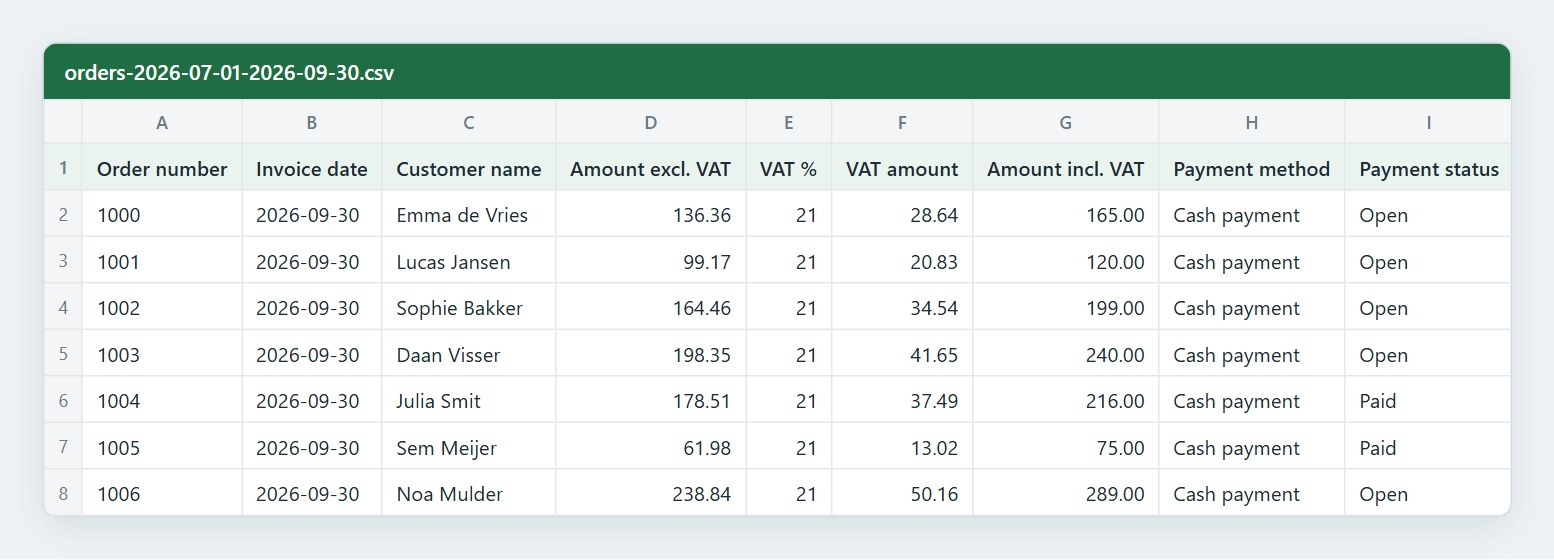
Every order in Be-Bookable already has an invoice. Typing those amounts over into your accounting software costs time and causes mistakes. With the export you get all orders of a period in one file, with the amounts excl. and incl. VAT, the VAT, the payment method and the status.
One file per period
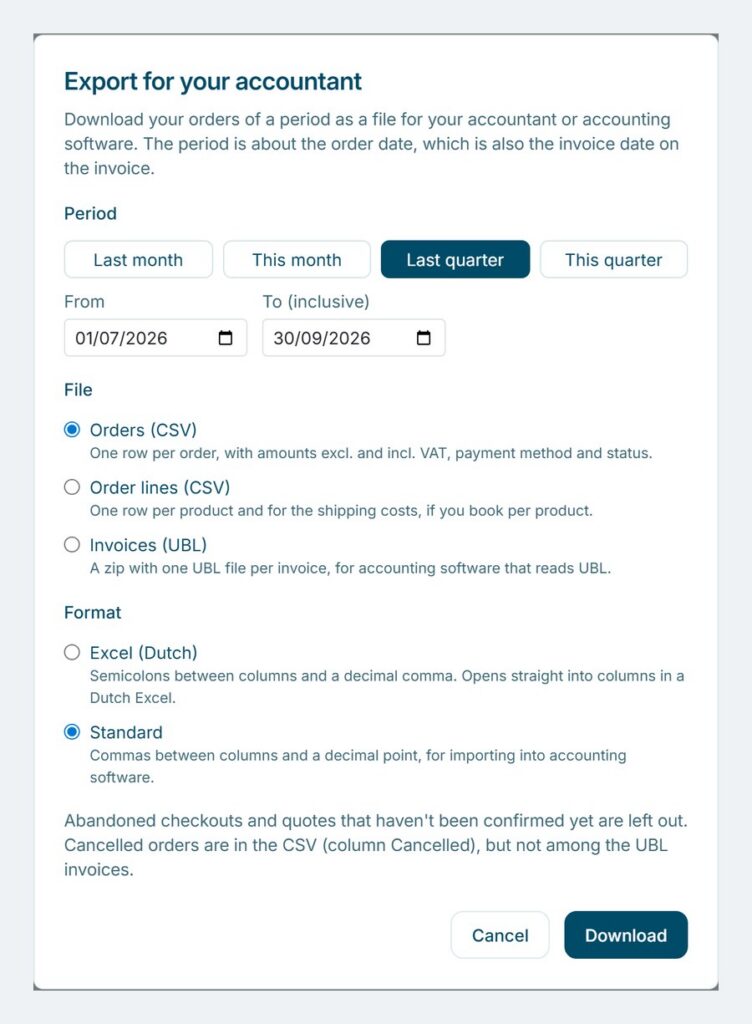
Pick last month, this month, last quarter, this quarter or your own dates. The period goes by the order date, which is also the invoice date.
CSV or UBL
A CSV with one row per order or one row per product, in Excel (Dutch) or Standard format. Or a zip with one UBL invoice per order, for accounting software that reads UBL.
Clean for your accountant
Abandoned checkouts and quotes that were not confirmed are left out. Cancelled orders are marked, and the deposit has its own column, apart from your revenue.
How to get your orders into your accounting
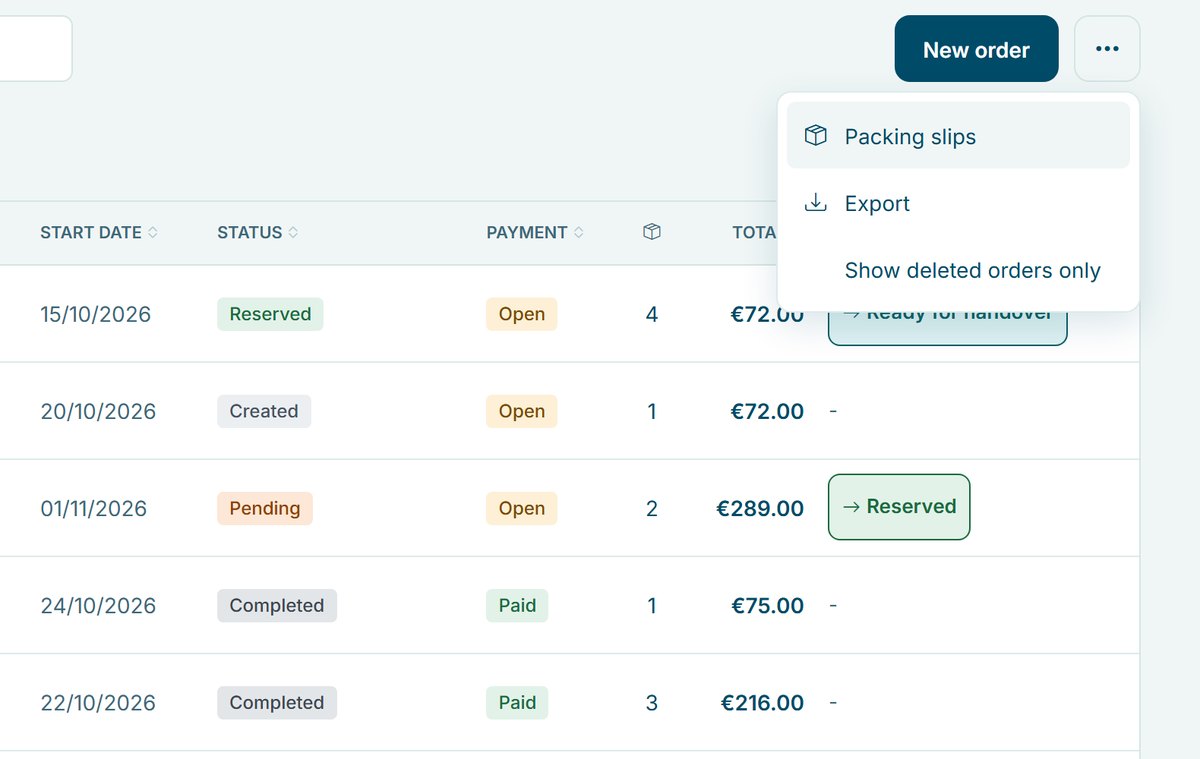
- Open the export. In the Be-Bookable app, go to Orders, open the menu with the three dots and choose Export. You find it next to the other tools of order management.
- Pick the period. Choose last month, this month, last quarter or this quarter, or fill in your own dates.
- Pick the file. Orders (CSV) gives one row per order, Order lines (CSV) one row per product plus a row for the shipping costs, and Invoices (UBL) a zip with one invoice per order. For a CSV, choose Excel (Dutch) to open it in a Dutch Excel, or Standard to import it.
- Import it or send it. Import the file in your accounting software, or send it to your accountant. Do this every month or quarter, for example before your VAT return.
What is in each file
Three files, for three ways of booking:
Order and invoice number, order, invoice and payment date, customer, amount excl. VAT, VAT %, VAT amount, amount incl. VAT, shipping, payment method, payment status, order status, deposit and discounts
Description, quantity, rental period, line amount excl. VAT, VAT % and VAT amount, line amount incl. VAT and discount. The lines add up to the total of the order.
One UBL 2.1 invoice per order, following the European standard EN 16931 (Peppol BIS Billing 3.0). Paid orders show as paid, open orders with your IBAN, a payment reference and a due date.
Good to know
- For now an export: Be-Bookable does not send invoices to your accounting software by itself yet. You download the file and import it.
- Invoice number: the invoice number is the order number, the same as on the invoice that your customer gets.
- Cancelled orders: they stay in the CSV files with Cancelled = yes, so your accountant sees them. They do not get a UBL invoice.
- Deposit: the deposit is in its own column and is not revenue. A deposit that you keep is in a separate column.
- Who can export: everyone in your team who may see the orders, see users and roles.
Frequently Asked Questions
Is there a direct link with Moneybird or e-Boekhouden?
Not yet. An automatic link that sends paid invoices straight to Moneybird or e-Boekhouden is on our roadmap. For now you export your orders as CSV or UBL and import the file yourself.
Which accounting software can read the export?
Every package that imports a CSV can read the CSV files. The UBL invoices follow the European standard for e-invoices, and many packages can import UBL. Ask your accountant or check the help pages of your package which file suits it best.
Does the export cost extra?
No. The export is in every Be-Bookable plan, see our pricing.
Which date does the period use?
The order date. That is also the invoice date on the invoice. A rental in March that was booked in February is in the export of February.
What about refunds and credit notes?
The CSV shows the payment status of each order, such as Refunded or Partially refunded. Be-Bookable does not make credit notes, so you book a refund yourself in your accounting software.
Can I export a whole year?
Yes. Fill in your own dates: a period can be up to one year. For a very busy shop, export per quarter.