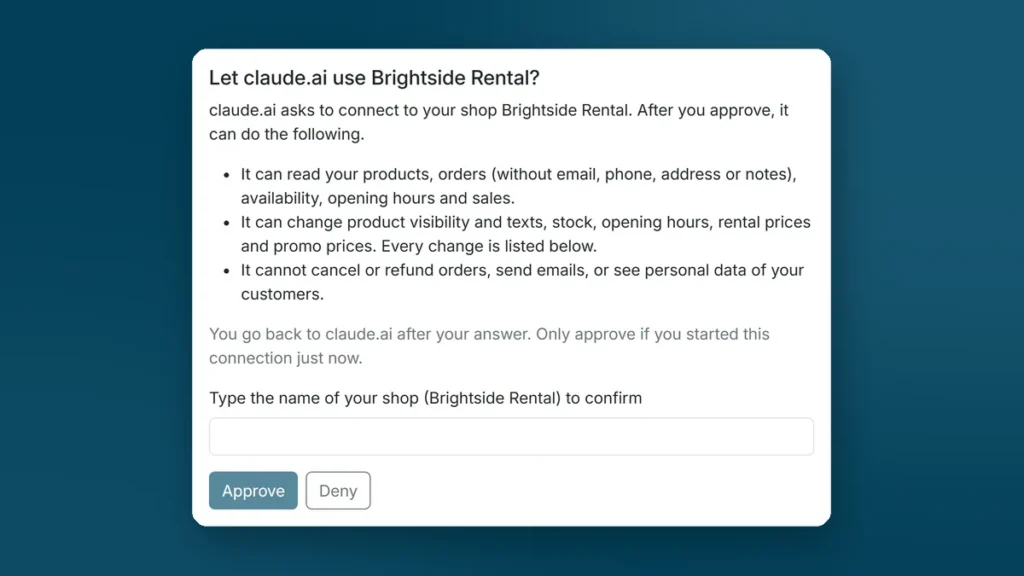
You already use Claude or ChatGPT to write an email or a product text. Now the assistant can also look inside your rental shop. Ask which e-bikes are booked this weekend, or tell it to put your party tents on sale in November. This article explains what the new AI assistant connection in Be-Bookable does, what it can and cannot touch, and how to connect it.
In short
- Be-Bookable now works with AI assistants such as Claude and ChatGPT.
- The assistant reads your products, orders, availability, opening hours and revenue. It can change product texts and visibility, stock, opening hours, rental prices and promo prices.
- It cannot cancel or refund orders, send emails or see your customers' contact details. Every change is listed in the app with the value before and after.
- You switch it on under Integrations and connect it in a few minutes with a free Claude account. Only the owner of the shop can approve a connection.
Contents
Never used Claude? Set it up in 5 minutes
All you need is a free Claude account and your Be-Bookable login. There is nothing to install and no code to type.
- Create a free account at claude.ai, or log in if you already have one.
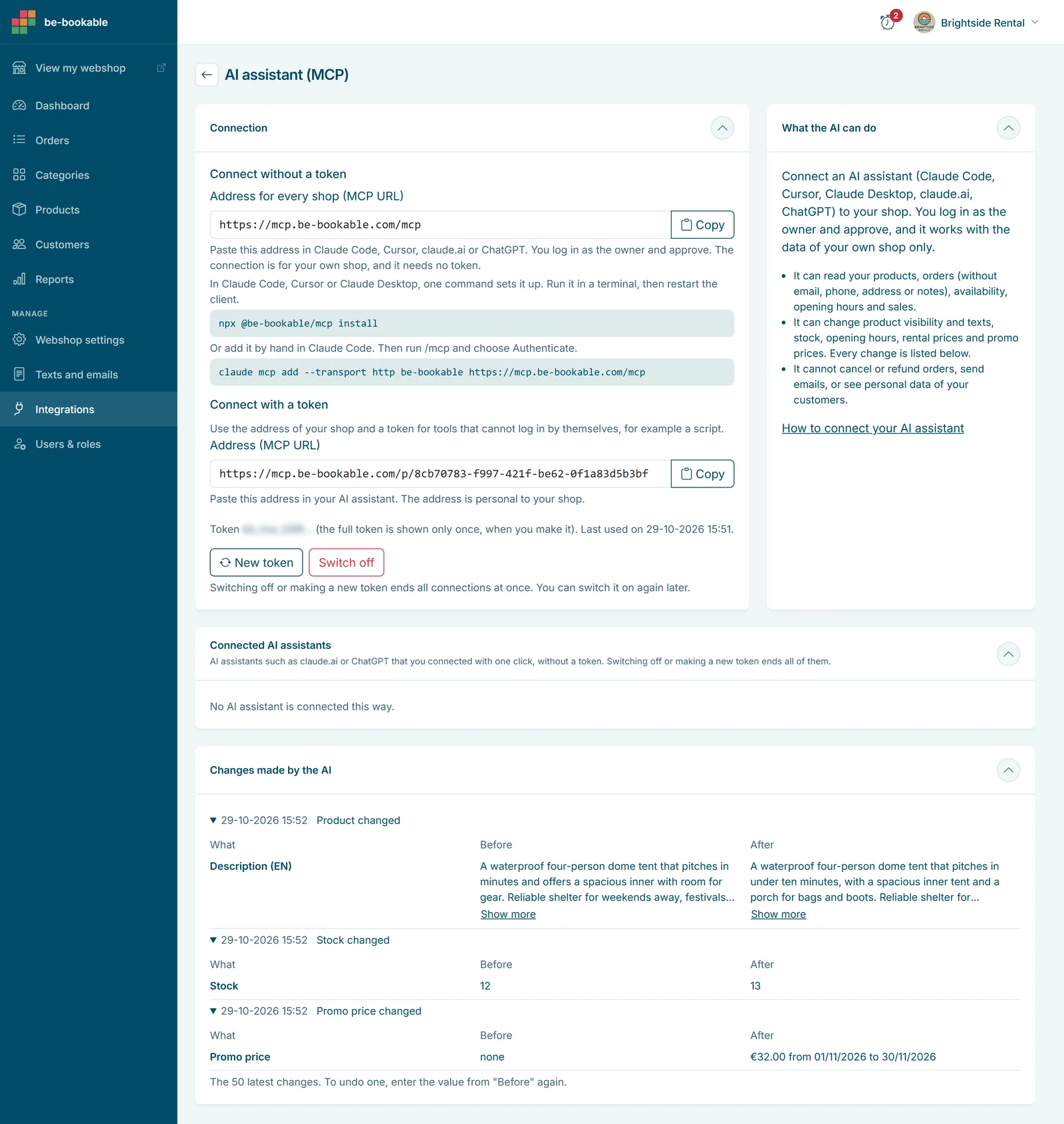
- Switch on the AI assistant in Be-Bookable. Go to Integrations, open the card AI assistant (MCP) and select Switch on.
- Connect Be-Bookable in Claude. In claude.ai, go to Customize > Connectors, then select “+ Add” and “Add custom connector”. Enter “Be-Bookable” as the name and
https://mcp.be-bookable.com/mcpas the address. Select Continue and then Add. - Approve the connection. Claude sends you to Be-Bookable. Log in, type the name of your shop and select Approve.
- Ask your first question. Start a new chat, switch on Be-Bookable with the “+” at the bottom left > Connectors, and ask for example: “Which products do I have?”
A free Claude account can add one custom connector, which is all you need for Be-Bookable. Stuck? Email us and we will go through it together.
How does it work?
You type a question in plain language, the assistant picks the right action in Be-Bookable, and you get the answer in the same chat. No exports, no clicking through screens. The assistant only works with the data of your own shop.
Behind the scenes this uses MCP (Model Context Protocol), a standard way for an AI assistant to work with other software. You do not need to know anything more about it.
What you can ask: five examples
You do not need special commands. Ask the way you would ask a colleague. Here is what happens behind the scenes.
“Which e-bikes are fully booked this weekend?”
The assistant lists your products, picks the e-bikes and checks the availability of each one for Saturday and Sunday. Your opening hours, closure periods, booking blocks and stock all count, exactly as in your shop. You get a short list: which e-bikes are still free and which are gone.
“Put the party tents 15% on sale in November”
The assistant opens each party tent, reads its rental prices and works out a price 15% lower. Then it sets a promo price per rental price from 1 to 30 November, including VAT. In your shop the regular price shows struck through, just like a promo price you set yourself in promotions and discounts. If a tent already has a promo price in that period, the change is refused, so two promos never overlap.
Tip: for changes like this, ask the assistant to show its plan first (“show me the new prices before you change anything”). Then say yes.
“How much revenue did I make in October compared with September?”
The assistant asks Be-Bookable for the sales summary of both months: number of orders and revenue. Cancelled orders are counted apart and bring no revenue. Good to know: the figures follow the day the order was placed, not the day of the rental. For charts and a comparison with last year, the reports in your dashboard stay the place to go.
“We are closed on Sundays from now on”
The assistant sets Sunday to closed in your opening hours and leaves the other days as they are. The change applies at once: customers can no longer pick Sunday for pickup or return.
What about a one-off day, such as “close at 14:00 on 24 December”? The assistant changes hours per weekday, so changing Thursday would change every Thursday. For a single day, add a closure period in the app yourself. The assistant can read your closure periods, but not set them.
“Rewrite the product texts of my bouncy castles”
The assistant reads the current name and description of each bouncy castle and writes new ones in your tone: sizes, age group, what is included. It can do this in every language of your shop. Ask to see the new texts first, then let it save them. Product photos, categories and other settings stay in product management.
More you can ask
- “Which orders are still waiting for payment?”
- “Show order 1042.” (You see the products, dates, totals and a short customer name like Jan J.)
- “Set the stock of the SUP boards to 8.”
- “Add a weekly price of 120 euros to the cargo bike.” (See flexible booking slots for how rental prices per duration work.)
- “Hide the snow sledges until next winter.”
What the assistant cannot do
The connection is built for the daily work around your products and prices. Some things stay with you on purpose:
- It cannot cancel or refund an order.
- It cannot send an email to a customer.
- It cannot see contact details: no email address, phone number, address or note. An order only shows a short name.
- It cannot work in another shop. The connection belongs to one shop.
Safety and control
Before you let an assistant change your prices, you want to know where the limits are. These are the safeguards:
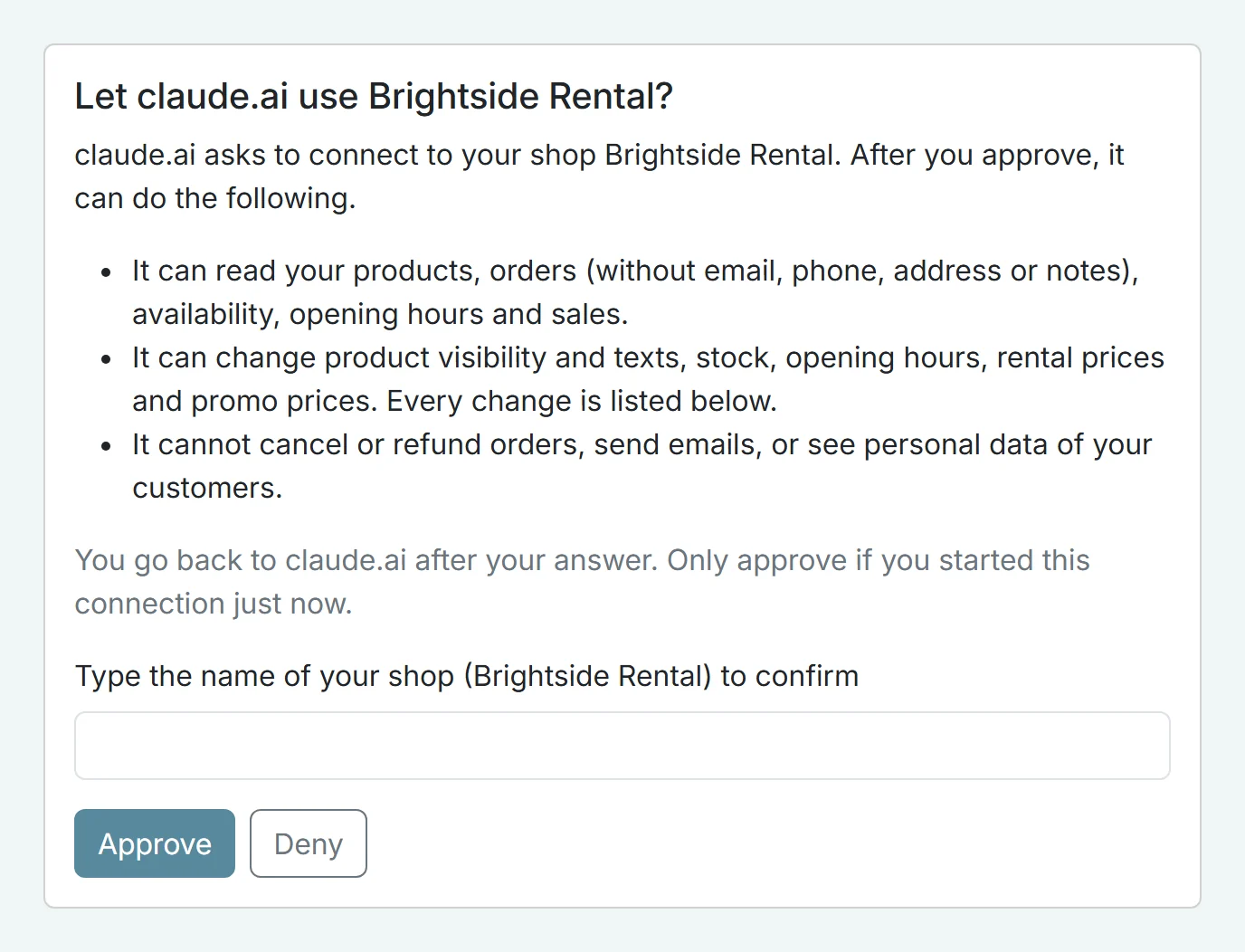
- Only the owner approves. When you connect, the assistant sends you to the Be-Bookable app. You log in, check the name of the assistant and your shop, type your shop name and select Approve. A team member cannot approve a connection, whatever their role.
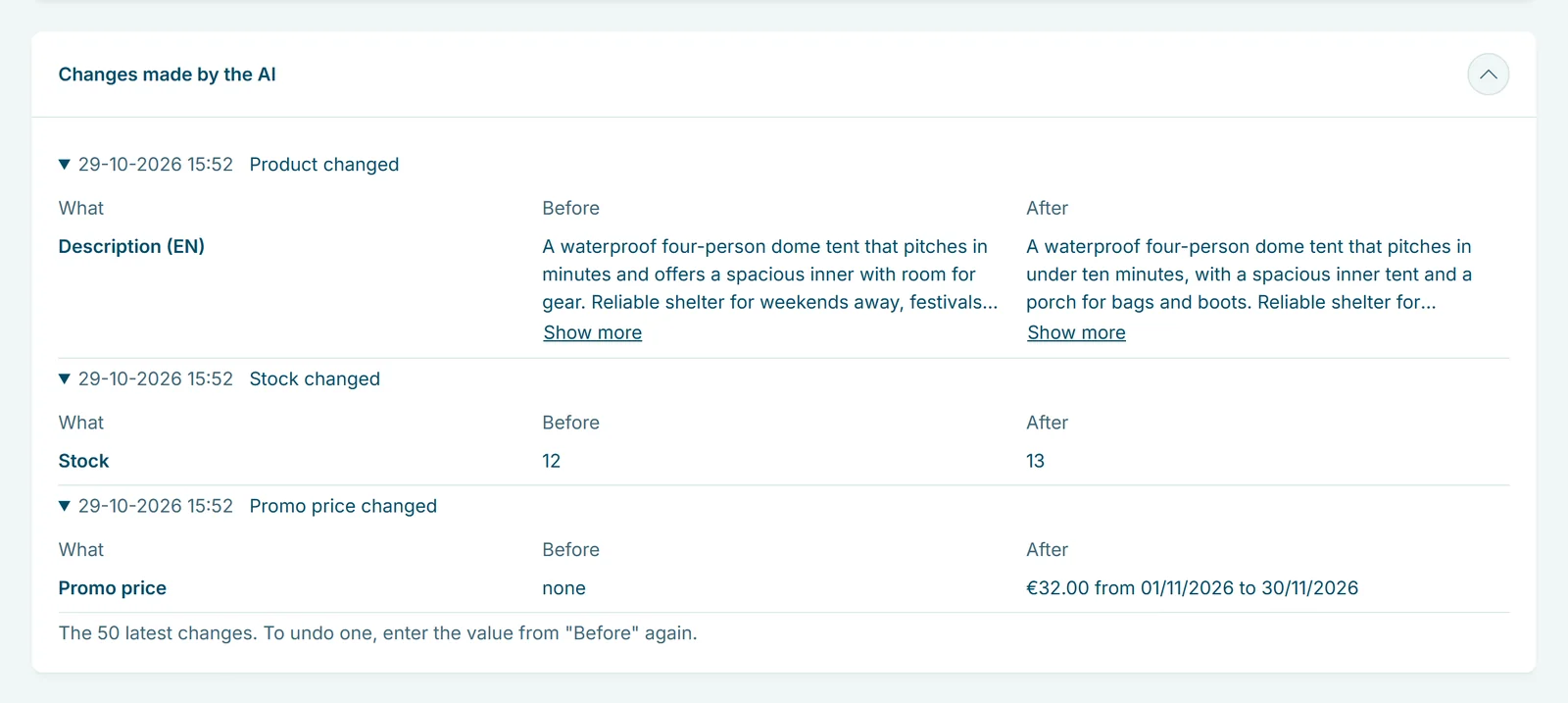
- Every change is listed. In the card AI assistant (MCP) you see the 50 latest changes by the AI, each with the value before and after. To undo one, enter the old value again, or ask the assistant to put it back.
- You can end it at any time. Disconnect one assistant, or switch the connection off and every link stops at once.
- It expires by itself. A connection ends after 90 days. The assistant then asks for your approval again.
- Customer text is not an instruction. A note or a product text in your shop could contain anything. Every tool tells the assistant never to follow instructions found in your data.
- Approve only what you started. If you get an approval screen you did not ask for, select Deny.
Other ways to connect
ChatGPT
In ChatGPT, open the connector settings and add a custom connector with the address https://mcp.be-bookable.com/mcp. Then approve the connection in Be-Bookable, just like with Claude. Custom connectors in ChatGPT need a paid plan and developer mode. The menu names change now and then, so check the help pages of OpenAI if you cannot find the option.
For developers: Claude Code, Claude Desktop and Cursor
Working in a terminal or code editor? Then one command does the setup: npx @be-bookable/mcp install. The card in the app shows the options.
Frequently asked questions
Which AI assistants work with Be-Bookable?
Claude (claude.ai, Claude Desktop and Claude Code), ChatGPT and Cursor. They all use the same address: https://mcp.be-bookable.com/mcp.
Can the AI assistant see my customers' personal data?
No. Orders come without email address, phone number, address or notes. The assistant only sees a short name, such as Jan J.
Can the assistant cancel or refund an order?
No. It can read orders, but it cannot cancel, refund or email. Those actions stay in your own hands in the app.
How do I undo a change made by the AI?
Open Integrations > AI assistant (MCP). Every change is listed with the value before and after. Enter the old value again, or ask the assistant to set it back.
Does the AI assistant cost extra at Be-Bookable?
No. The AI assistant is part of your Be-Bookable plan. With a free Claude account it costs you nothing at all.
Do I need a paid Claude or ChatGPT plan?
Not for claude.ai: a free account can add one custom connector, which is enough for Be-Bookable. For ChatGPT, yes: custom connectors there need a paid plan and developer mode.
Try it in your own shop
Switch on the AI assistant under Integrations and ask your first question today. Read more on the AI assistant feature page.