

Put your rental shop on your own website with two lines of code
In short
- Copy two lines of code from your dashboard and paste them into any page on your site.
- Visitors browse, pick dates and book without leaving your website.
- Products, availability and orders stay in Be-Bookable, so there is no plugin to install or update.
Why put the shop on your own site
Your website is where customers find you. When they can book on that same page, they don’t have to switch to another site halfway through.
Any website
WordPress, Webflow, a custom build or any CMS that lets you add HTML to a page.
Always up to date
Products, prices and availability come straight from your Be-Bookable shop.
Only on your domains
Shop data and analytics events only go to websites on your list of allowed domains.
How Be-Bookable solves it
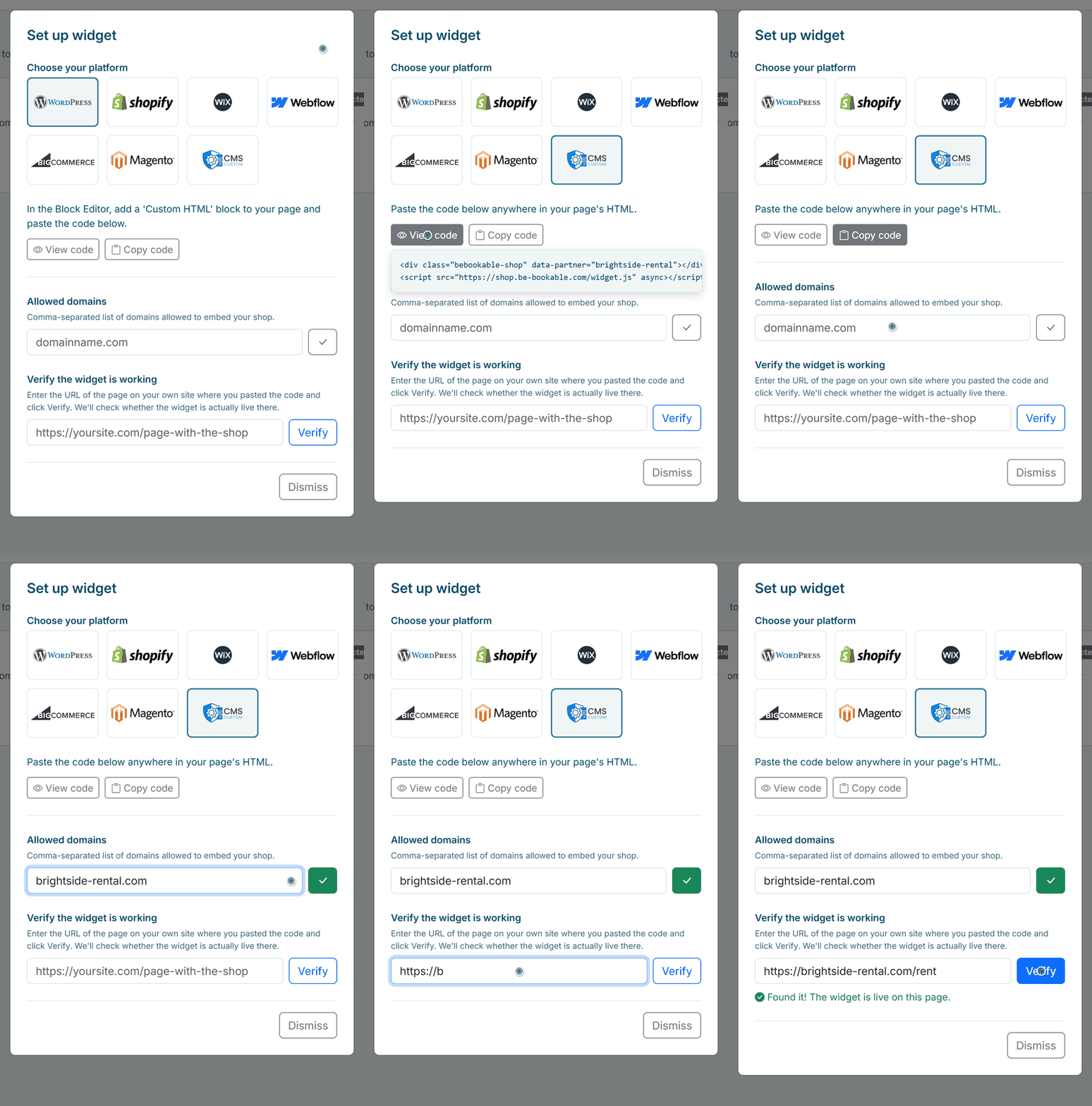
- Open the widget settings. In your dashboard, go to Integrations and click Set up widget on the Website Embed card.
- Choose your platform. Pick the platform your site runs on, such as WordPress or Webflow, or Custom website for anything else. You get a short instruction on where to paste the code.
- Copy the code. Click Copy code and paste the two lines into an HTML block on the page where the shop should appear.
- Add your domain. Enter your website’s domain under Allowed domains and save it. If your site works both with and without www, add both.
- Check that it works. Paste the address of the page and click Verify. Be-Bookable looks up the page and tells you whether the shop is live there. From then on, bookings from your site arrive in your order overview like any other order.
Where to paste the code
The code is the same on every platform. Only the place where you paste it differs:
| Your website | Where the code goes |
|---|---|
| WordPress | In the Block Editor, add a Custom HTML block to the page. |
| Webflow | Drag an Embed element onto the page. |
| Shopify | Under Online Store, Themes, Customize, add a Custom Liquid section. |
| BigCommerce | In Page Builder, add an HTML widget to the page. |
| Magento | Add the code through a CMS block or in the page layout. |
| Any other CMS | Paste the code anywhere in the HTML of the page. |
See it in action
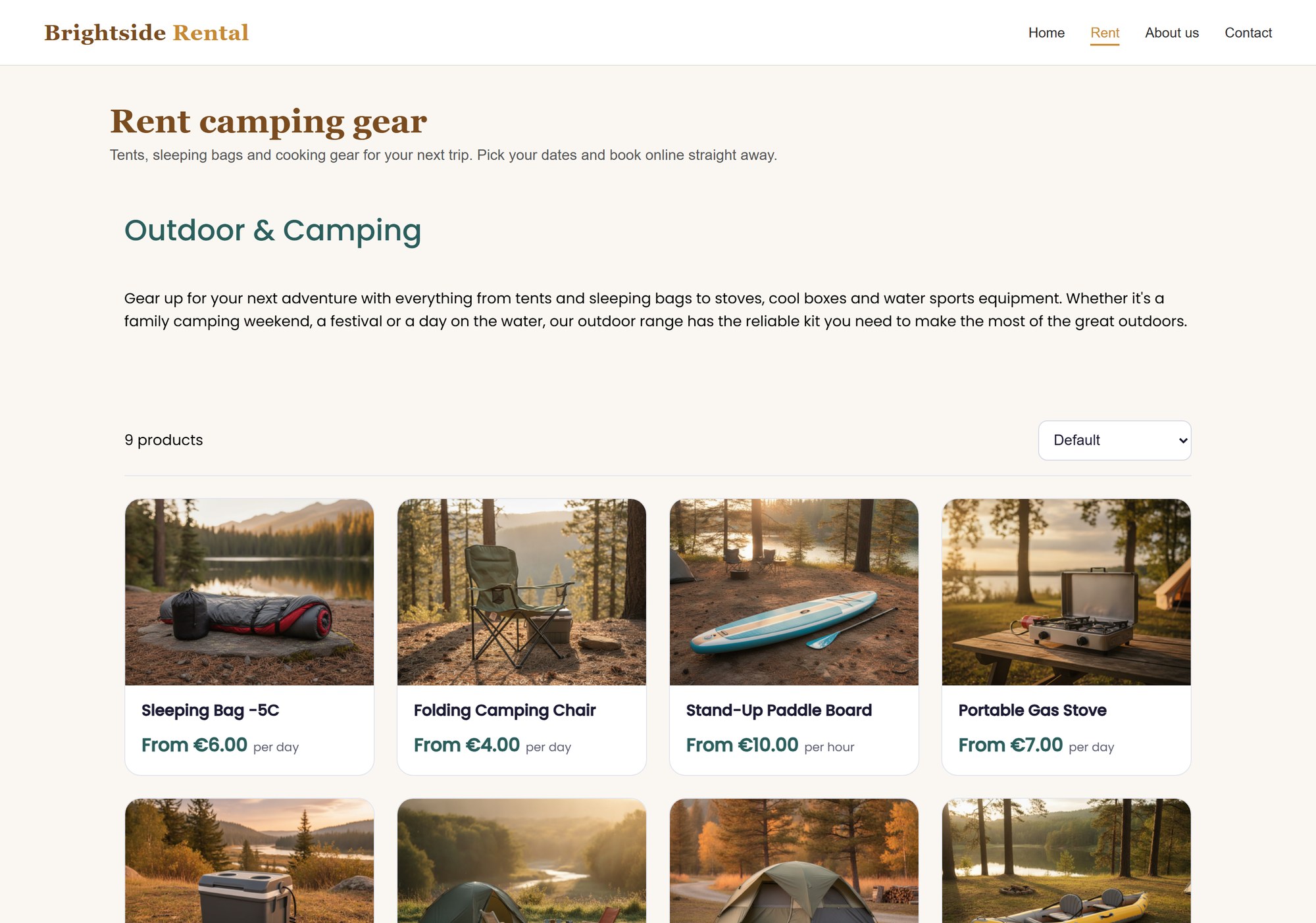
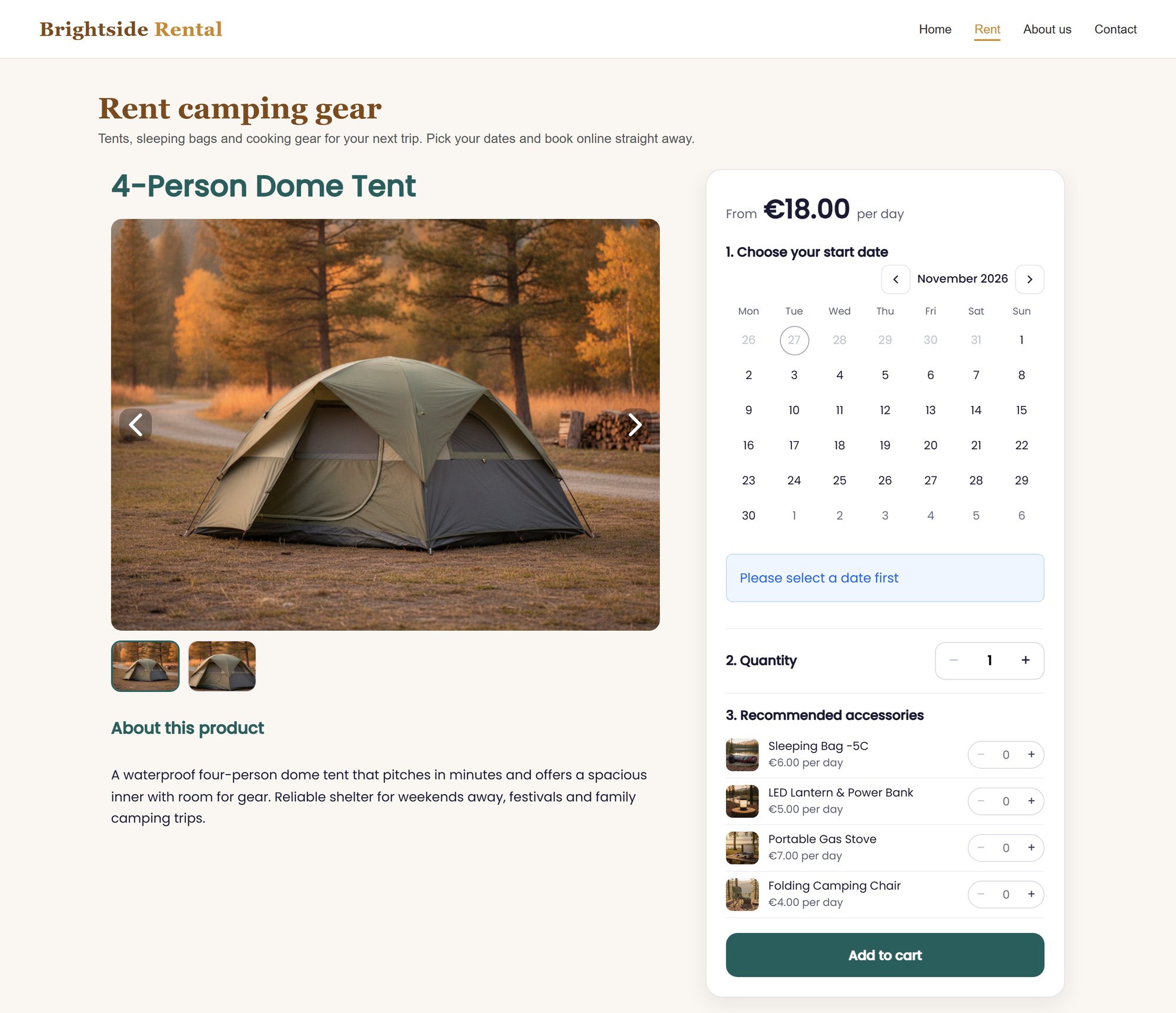
The Brightside demo shop on an example website: a category page and a product page with the booking calendar, under the site’s own menu.
Frequently Asked Questions
Do I need a plugin?
No. You paste two lines of HTML into your page. There is no WordPress or other CMS plugin to install or keep up to date.
Can I change how the embedded shop looks?
The embedded shop uses the colours you set for your shop in Be-Bookable and fills the width of the spot where you paste the code. There are no separate style settings for the embed. More on this under shop personalisation.
How do customers pay?
Online payments go through Mollie. Because Mollie doesn’t open inside another website, the payment opens in a new tab. When it is done, the customer continues on the thank-you page on your site. If the browser blocks the new tab, the whole page goes to Mollie instead.
Can I track bookings in Google Analytics?
Yes, if your website uses Google Tag Manager. The shop sends the events view_item, add_to_cart and purchase to the dataLayer of your page, but only on domains in your allowed list.
Does the embedded shop help my SEO?
Yes. The script adds structured data (schema.org) to your own page, so search engines understand that the page is a rental shop and whose shop it is. The text, headings and photos around the shop count fully for your page, so a short introduction above the shop helps it rank. The product pages themselves are indexed as part of your Be-Bookable shop.
Can I link to a specific product on my site?
Yes. The address of your page follows the visitor through the shop, for example /rent#tents/dome-tent. Share that link and the shop opens on the same product. A visitor who refreshes the page also stays where they were.
Can the widget open in a specific language?
Yes, if your shop offers more than one language. Add data-lang with the value nl, de or en to the code, for example on the German page of your website, and the shop starts in that language. Without it, the shop uses the language the visitor chose before, the browser language or your main language. More on language settings.