
Point customers to other products that go well together
In short
- Choose related products for every product, from any category in your shop.
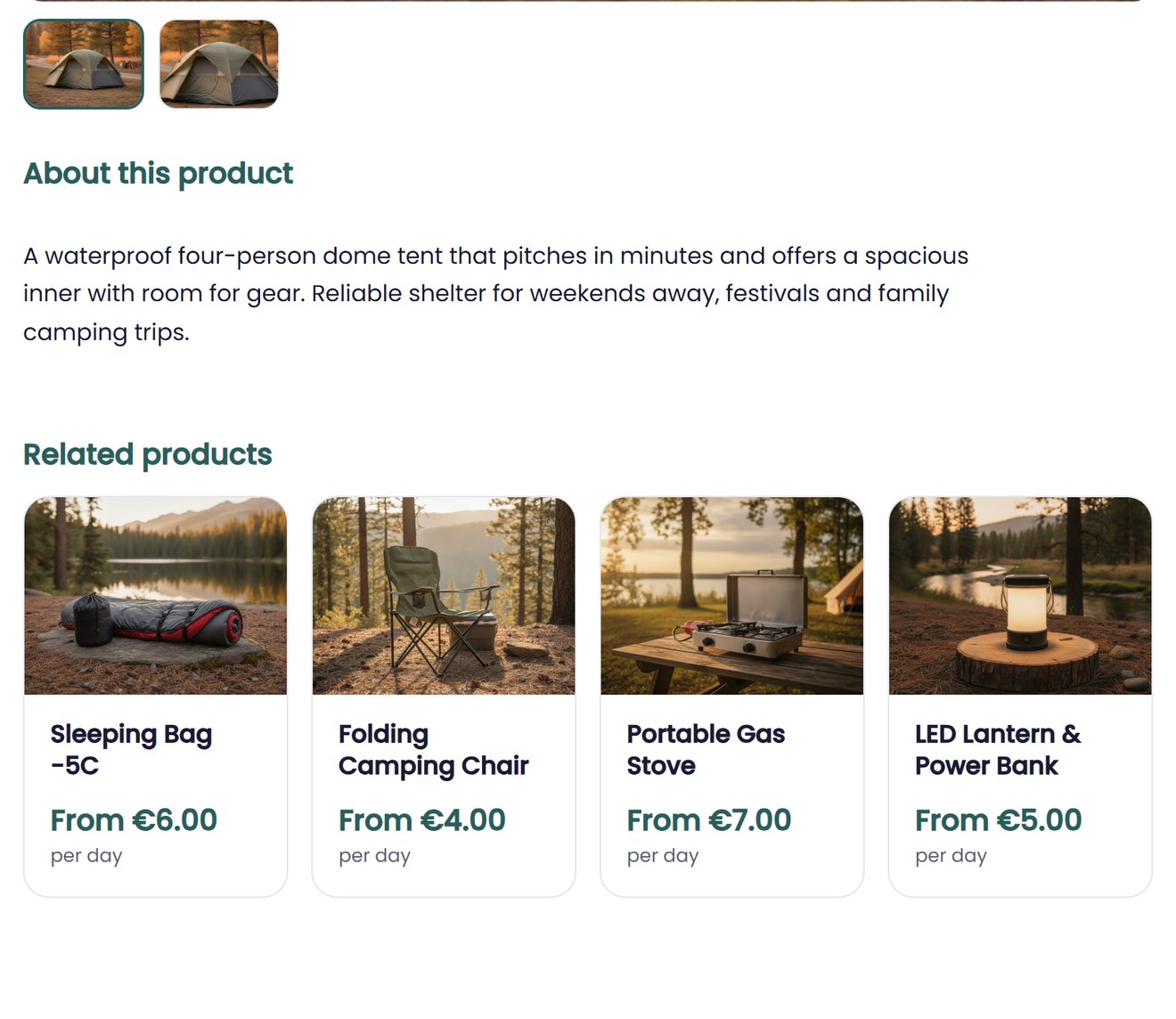
- They appear as suggestions on the product page, each with a photo and price.
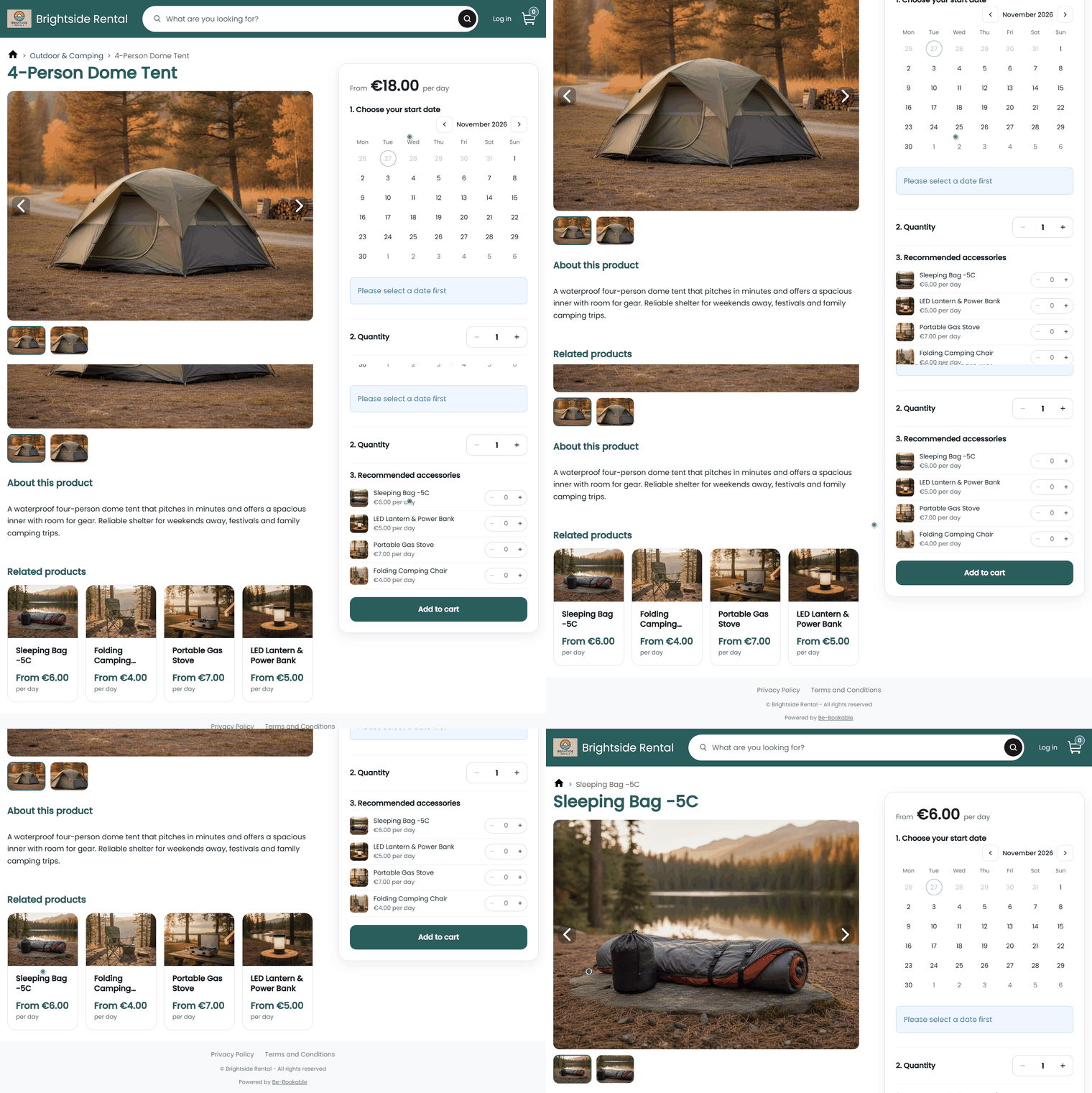
- One click takes the customer to that product to book it.
Why related products matter
Customers don’t always know what else you rent. A few good suggestions help them find it while they browse.
More of your range seen
Products deeper in your shop appear on the pages customers already visit.
Ideas, not pressure
Suggestions sit below the product information, so booking stays the focus.
Your choice per product
You decide which products appear, so every suggestion makes sense.
How Be-Bookable solves it
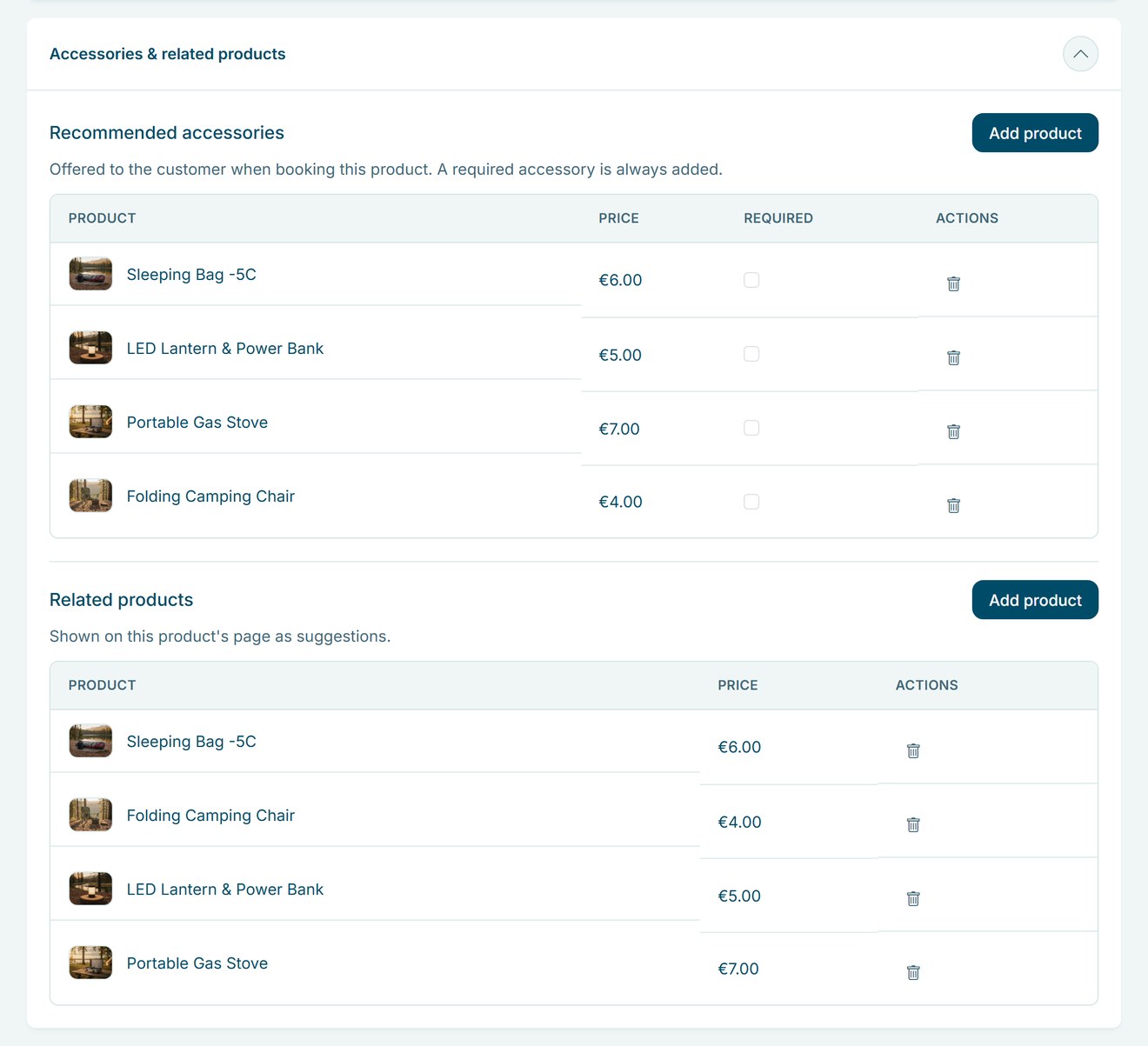
- Open the product. In Products, open the product and go to the Accessories & related products panel.
- Add related products. Under Related products, click Add product and pick a product from any category. Repeat for each suggestion, then save.
- Customers see them. On the product page, related products appear as cards with a photo, name and price. Hidden products are left out automatically. Is a product booked for the dates a customer picked? Then the product page also shows its related products that are free in that period.
- Need it in the booking itself? Use recommended accessories instead. They appear in the booking box and go into the cart with the product.
Related products in the real world
A few examples of suggestions rental businesses add:
| Rental type | Product | Related products |
|---|---|---|
| Party rental | Party tent | Folding chairs, tables, string lights |
| Camping gear | Dome tent | Sleeping bag, camping chair, cool box |
| Bike rental | E-bike | Child seat, bike trailer |
| Photo and video | Camera body | Tripod, lighting kit, microphone |
| Tool rental | Rotary hammer | Dust extractor, extension cable |
See it in action
Related products below the product information in your shop, chosen per product in your dashboard.
Frequently Asked Questions
Do related products show both ways?
No. If you link product B to product A, B appears on the page of A. To show A on the page of B as well, add it there too.
Can I change the order?
Not per product. Related products appear in a fixed order, and you can’t set it yourself yet.
What is the difference with recommended accessories?
Related products are suggestions that link to another product page. The extras you add as recommended accessories sit in the booking box and go into the cart with the main product.
Can I show hidden products?
No. A hidden product never appears as a suggestion in your shop, even if it is linked.