Home / Features / Bundles

Bundles

Combine products into one bookable set with its own price, while stock stays correct for every item.

Rent out sets of products as one item, with stock that adds up

In short

  • Combine existing products into a bundle, such as a baby travel set or a party package.
  • The bundle gets its own rental prices, photos and description.
  • Stock follows the scarcest item, so a bundle is never double booked.
Bundles
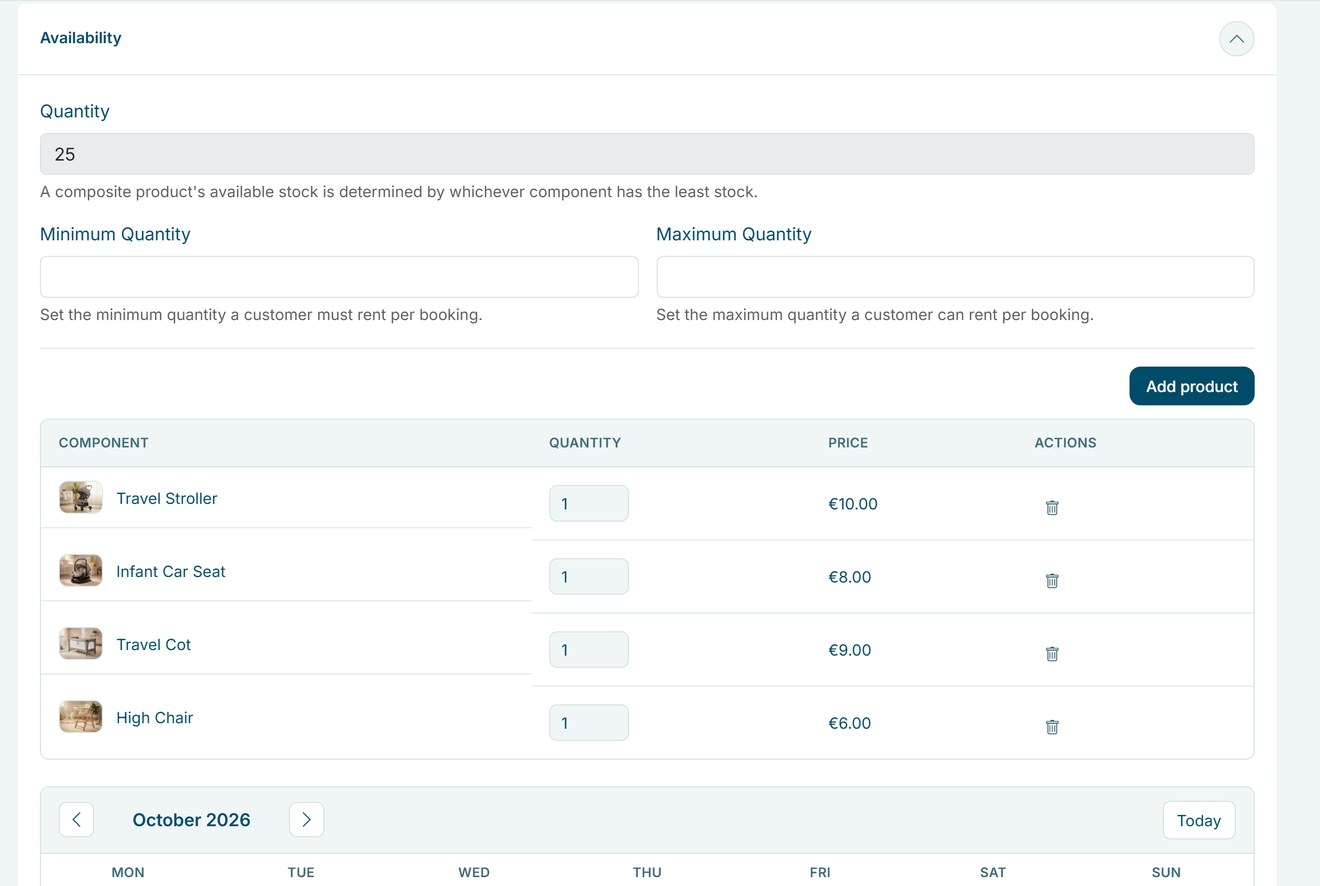
Open a bundle to see its items, quantities and the stock per day.

Why bundles matter

Many customers want a complete set, not a list of separate items. A bundle makes that one click and one price.

One booking, a full set

Customers book the whole package at once, as one line in the order.

Your own package price

Set rental prices for the bundle, including promo prices.

No double bookings

A bundle and its separate items share the same stock and buffer times.

How Be-Bookable solves it

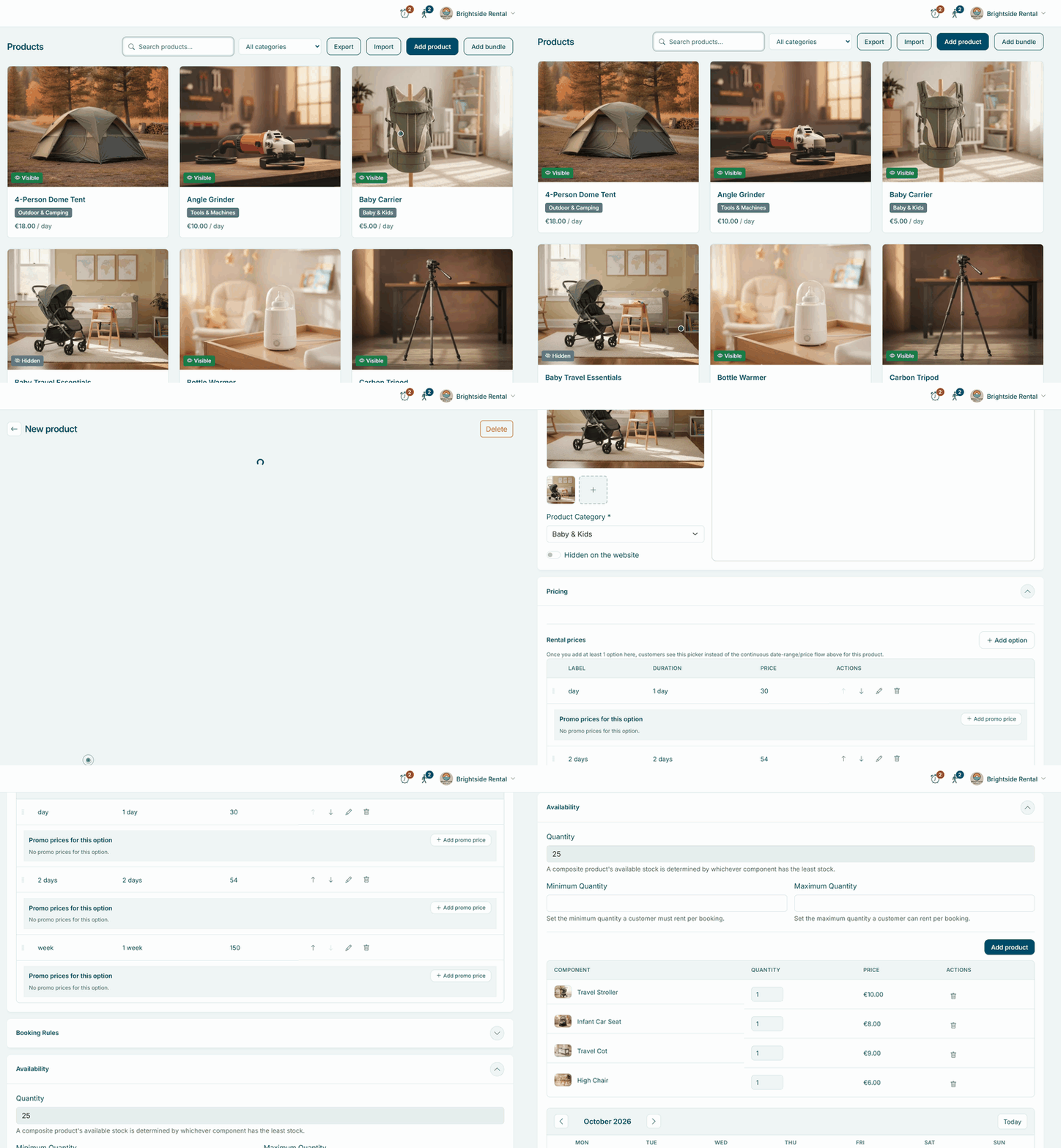
  1. Choose the items. Click Add bundle in Products, then pick the products and how many of each. Be-Bookable creates the bundle with a name, photos, category and booking rules from your picks.
  2. Set the rental prices. Add at least one rental price for the bundle, then make it visible. Change the name, photos and description as you like.
  3. Check the stock. The bundle has no stock of its own. It is available as long as every item is, and the calendar shows how many sets are free each day.
  4. Customers book the set. In your shop, the bundle has its own product page and goes into the cart as one product.

Bundles in the real world

A few examples of bundles rental businesses offer:

Rental typeBundleItems
Party rentalGarden party packageParty tent, 40 chairs, 5 tables, string lights
Baby gearBaby travel setStroller, car seat, travel cot, high chair
Photo and videoContent creator kitCamera, lens, microphone, light
Camping gearCamping set for 4Dome tent, 4 sleeping bags, gas stove
Event equipmentSound package2 speakers, mixer, microphones

See it in action

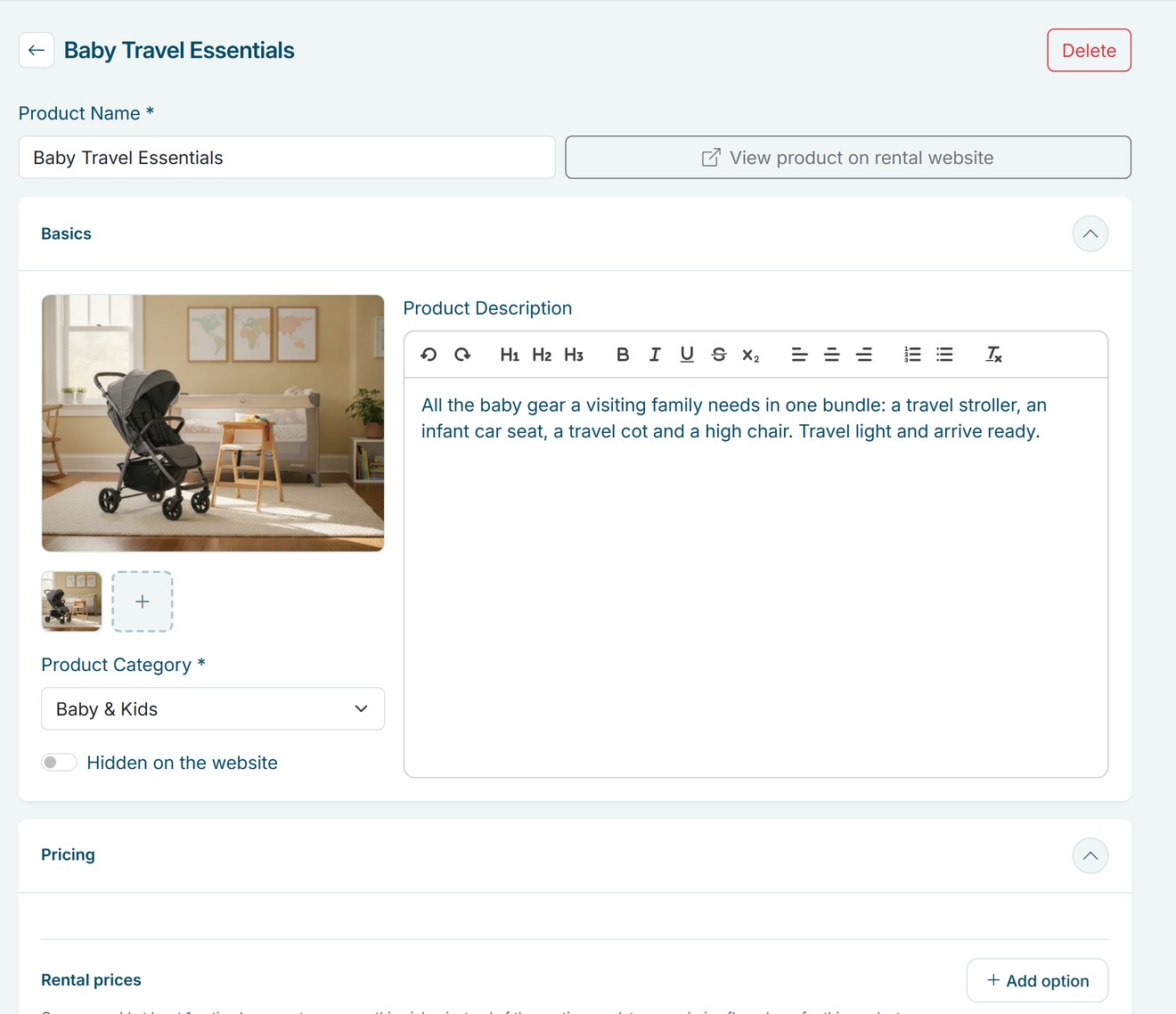
The items of a bundle with their quantities, and the bundle’s own photos, description and prices.

Frequently Asked Questions

Is a bundle cheaper than the separate items?

Only if you make it so. You set the rental prices of the bundle yourself; there is no automatic discount.

Yes. Add or remove items and change the quantities in the availability panel of the bundle at any time.

No. A bundle is made of single products. You also can’t turn an existing product into a bundle; create a new bundle instead.

The availability of the bundle goes down with it. Bundles and single items always use the same stock.

Other Features

A calendar with a cross icon representing a booking block

Booking blocks

Hold prep, cleaning or transport time before and after every rental, set per product.

Bundles

Combine products into one bookable set with its own price, while stock stays correct for every item.

A set of icons representing category management

Category management

Group your products into categories with a photo and description, so customers find what they need faster.

Custom language settings

Your shop appears in Dutch, English or German based on your business country, and your team picks English or Dutch for the dashboard.

Custom shipping options truck

Custom shipping options

Set your own pickup and delivery options, each with a fixed price, and let customers choose at checkout.

An enveloppe representing a customer email

Customer emails

Send customers an email at every order status, in your own words, with the order summary added for you.

A card representing a customer page

Customer pages

Your terms, privacy policy and thank-you page, shown at checkout and after every booking.

Flexible booking slots

Rent out any product by the minute, hour, day or week, each with its own flat price and automatic buffer times.

Opening & closing times

Set opening hours per weekday and closure periods for holidays, so customers only book pickups and returns when you are open.

A screen representing order management

Order management

Manage every rental order in a table, a calendar or a workflow board, and change dates, products and status as plans change.

a squared box representing product management

Product management

Manage every rental item in one place, with photos, rental prices from minutes to weeks, stock and booking rules.

Quotes

Turn a prepared order into a quote by email, with your own text and the full order summary.

Recommended accessories icon

Recommend accessories

Suggest the right accessories on every product page, optional or required, so customers book a complete set in one go.

Related products

Related products

Suggest other products on every product page, so customers find more of your range.

Reports

Revenue, orders, returning customers and your best sellers, compared with last year.

Configure your own rental software for
Event Equipment. Tools. Office Furniture. Electronics. Gadgets. Party Supplies. Fitness Equipment. Costumes. Outdoor Gear. Baby Gear. Photography. Home Appliances. Medical Equipment. Garden Equipment. Audio Equipment. Kitchen Appliances. Water Sports Gear. Virtual Reality.  Camping Gear. Board Games. Musical Instruments. DIY Tools. Sports Equipment. Projectors. Camping Tents. Power Tools. Luxury Watches. Educational Toys. Party Tents. Office Technology. Tailoring Equipment. Karaoke Systems. Beach Equipment. Pop-up Shops. Massage Chairs. Ski Gear. Fishing Equipment. Project Tools. 3D Printers. Robotics Kits. Air Purifiers. E-bikes. Gaming Consoles. VR Headsets. Learning Kits. Silent disco.