
Offer the right extras on every product page, so customers book a complete set
In short
- Link other products from your shop to a product as accessories.
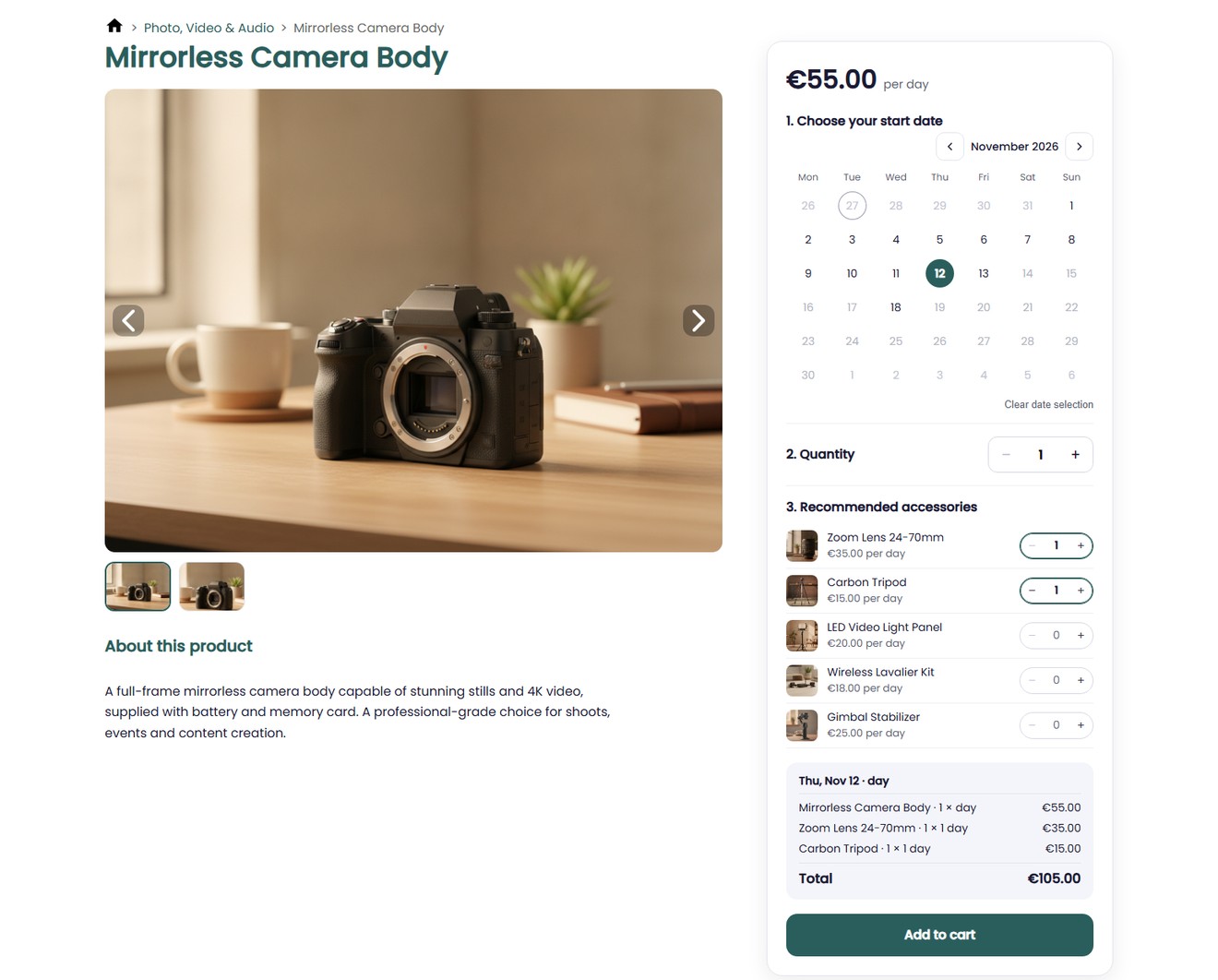
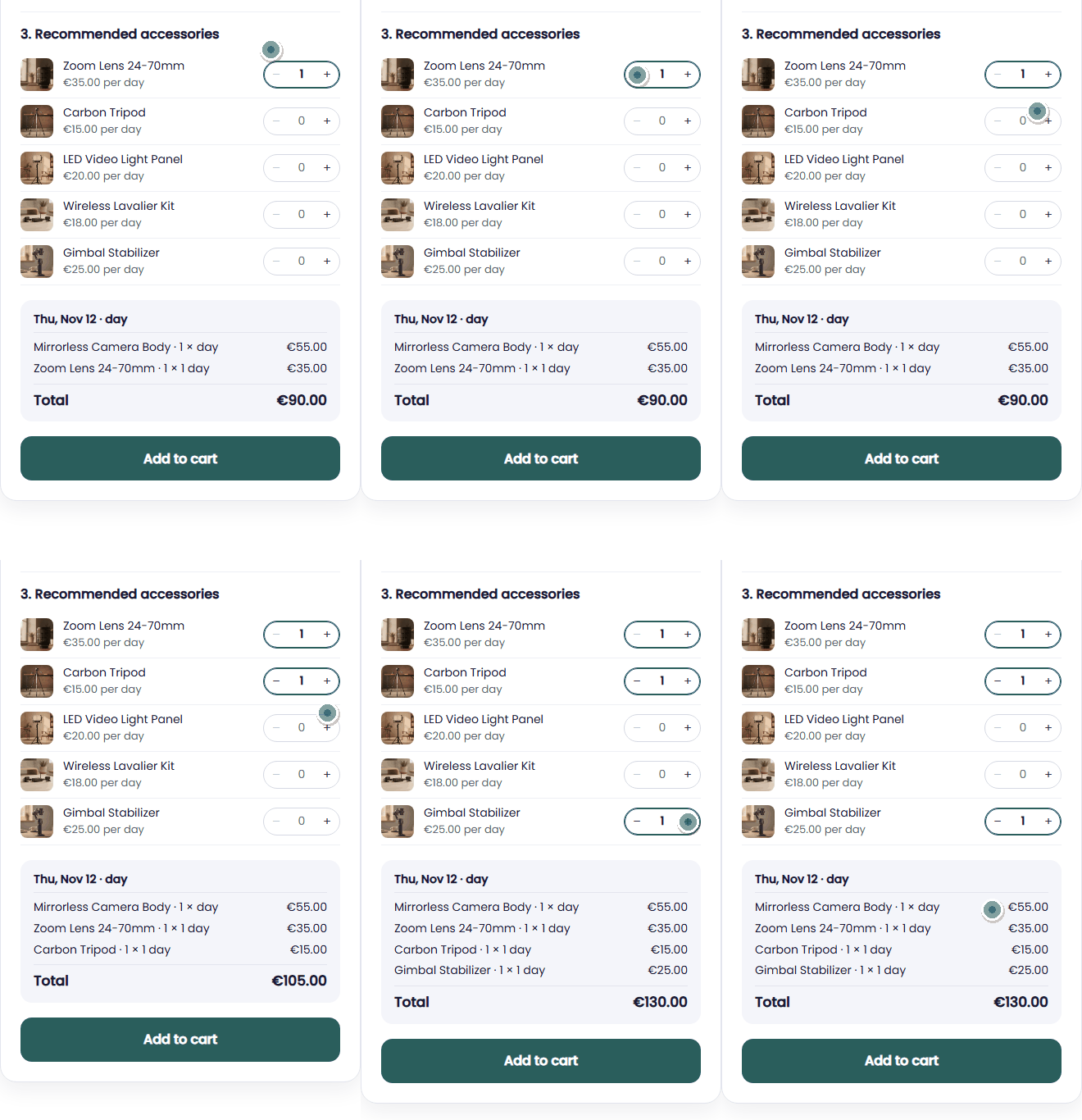
- Customers tick the extras they want, right under the calendar, and see the total update.
- You decide per accessory whether it is required or optional.
Why recommended accessories matter
Customers rarely think of every extra they need. Offer extras while they book, and nobody leaves without the lens, the cable or the transmitter.
A bigger order, without asking
Extras are one tick away, at the moment customers decide what to rent.
Complete sets every time
Items that belong together, such as a camera and its lens, are always booked together.
Only what is available
An extra that is already rented out for the chosen dates is greyed out and can’t be ticked.
How Be-Bookable solves it
- Open the product. In your dashboard, open the main product in product management and go to the Accessories & related products panel.
- Add accessories. Under Recommended accessories, click Add product and choose any other product from your shop. You set the order by dragging a row or with the arrows.
- Mark what is required. Tick Required for items the main product can’t do without. Save the product and the accessories appear on its page. With Stays and rental rules on, you also choose how an accessory is counted: per piece, per booking or per person.
- Customers tick their extras. After picking a date, customers see each accessory with its price. Accessories are rented for the same dates as the main product, and the total updates straight away.
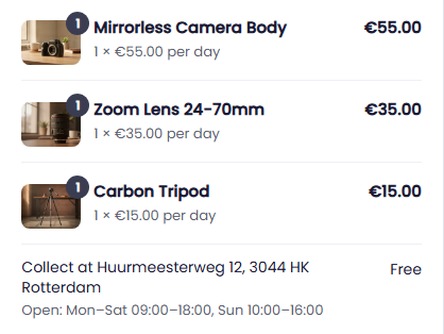
- Every extra is its own order line. In the cart and in your orders, each accessory shows as a separate line with its own price.
Recommended accessories in the real world
A few examples of extras rental businesses offer:
| Rental type | Main product | Accessories you offer |
|---|---|---|
| Camera rental | Camera body | Lens (required), tripod, video light |
| Silent disco | Headphones | Transmitter (required), disco light |
| Bike rental | E-bike | Child seat, bike carrier |
| Camping gear | Dome tent | Sleeping bag, lantern, gas stove |
| Tool rental | Rotary hammer | Wet and dry vacuum, generator |
| Holiday home rental | Holiday home | Final cleaning and tourist tax (required), bed linen |
See it in action
Customers tick extras on the product page. Each one becomes its own line in the cart.
Add a helmet in your size in a demo shop: the 125cc scooter at ZoomNL
Frequently Asked Questions
Can I make an accessory required?
Yes. Tick Required next to the accessory. It is then ticked automatically on the product page, customers can’t untick it, and it stays in the cart as long as the main product does.
What happens if an accessory is not available?
An optional accessory that is fully booked for the chosen dates is greyed out and can’t be ticked. If a required accessory is unavailable, the main product can’t be booked for those dates and the customer is asked to pick another date.
What do customers pay for an accessory?
The accessory’s own rental price, for the same dates as the main product. Each ticked accessory is added once per booking, and customers can change the quantity in the cart. An accessory counted per person follows the number of persons the customer enters.
What is the difference with related products?
Recommended accessories sit in the booking box and go into the cart together with the main product. Related products are suggestions further down the page that customers can browse to.