
One shop in German, English, French and Dutch
In short
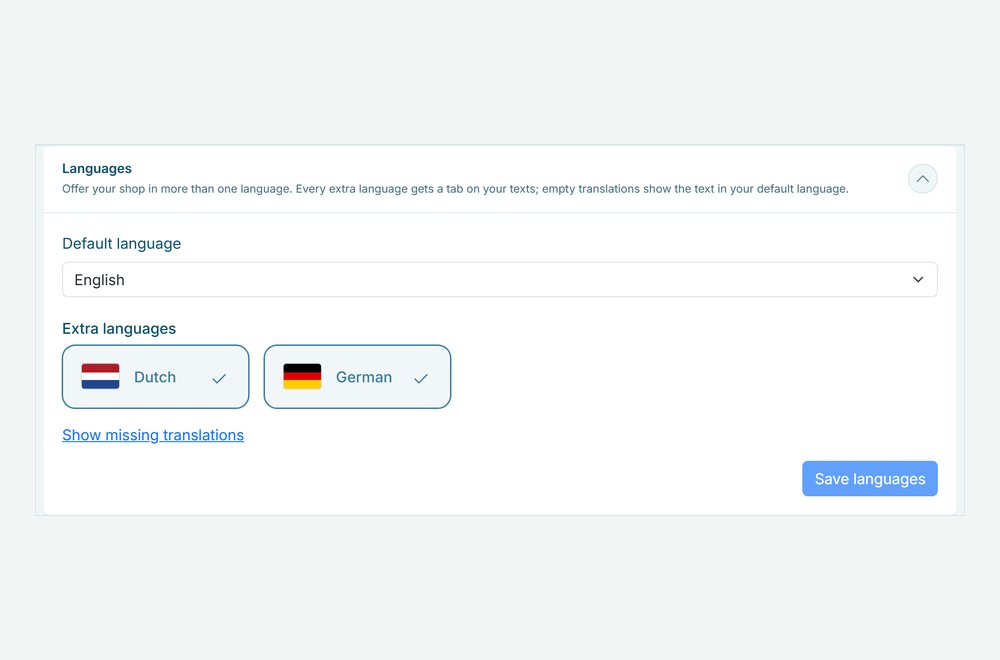
- Offer your shop in German, English, French and Dutch. Customers see it in their own language and switch with the language button.
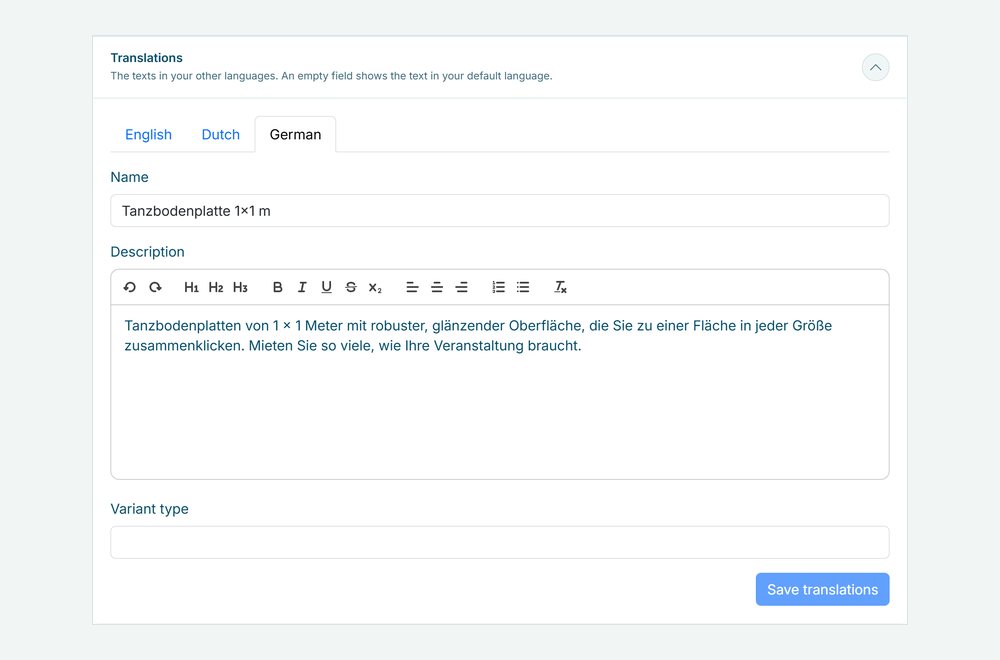
- You translate your product names, descriptions, categories and emails on a tab per language, or in your product import.
- Every order remembers its language, so the emails, invoice and calendar invite go out in the language your customer booked in.
Why a multilingual shop matters
Tourists, expats and customers from across the border book faster in their own language. One shop in several languages saves you a second shop, and keeps your stock and orders in one place.
Their own language
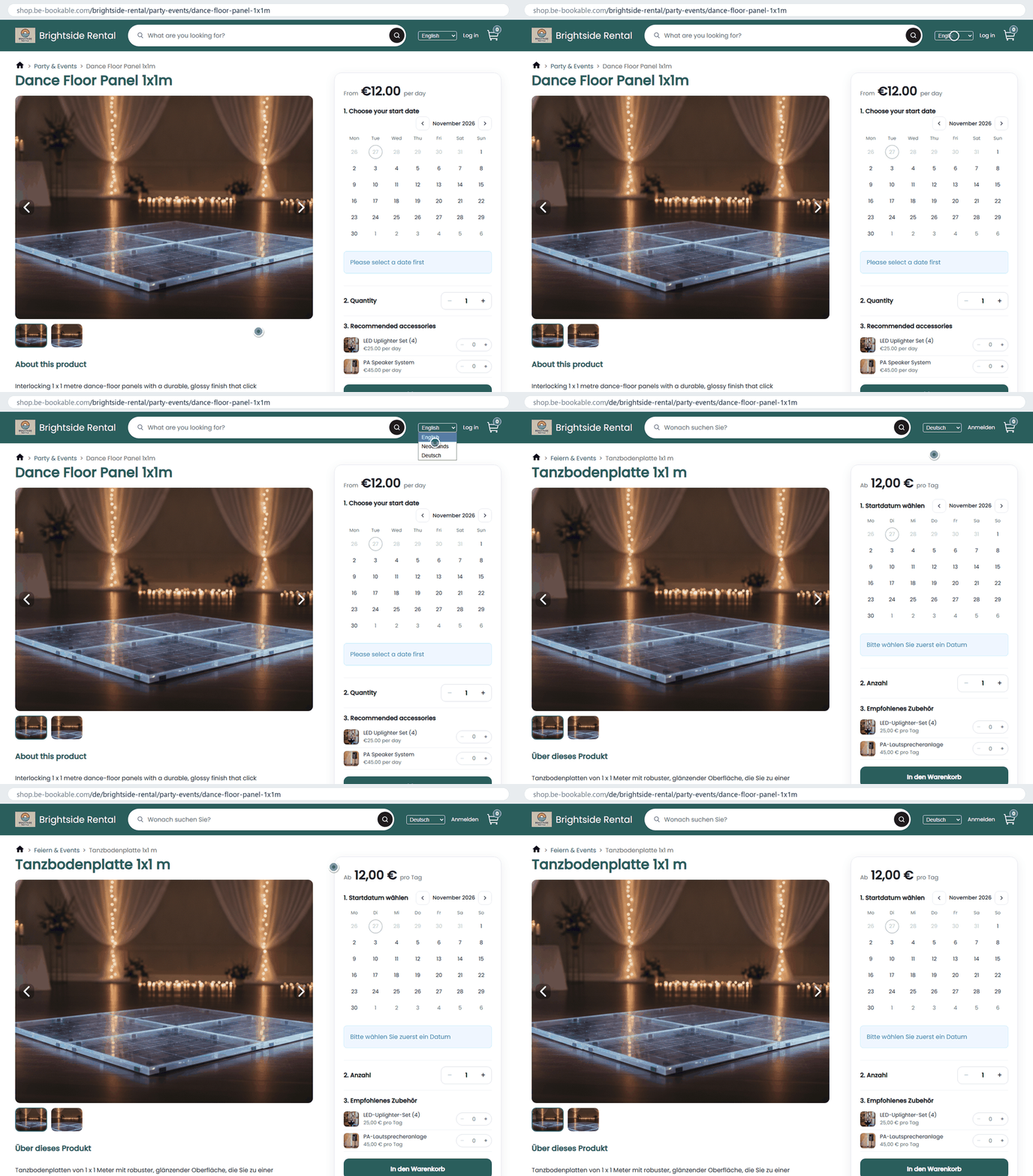
Customers see your shop in their browser language when you offer it, and switch with the language button.
Your texts translated
Products, categories, delivery and pickup options, pages and emails get a tab per language. A field you leave empty shows your default text.
Emails in the booking language
Order emails, the invoice and the calendar invite follow the language of the order.
How Be-Bookable solves it
- Choose your languages. Set your default language and switch on the extra languages you offer: German, English, French or Dutch. A shop with one language stays exactly as it is.
- Translate your texts. Every text you write gets a tab per language: product names and descriptions, variants, rental prices, specifications, categories, delivery and pickup options, your pages and your emails. You can also fill in a name and description column per language in your product import. An overview shows which texts still miss a translation.
- Customers book in their language. Your shop opens in the visitor’s language when you offer it, and the language button switches it. Every language has its own web address, such as /de/ for German, with its own page title and description for search engines. In the booking widget you can set the start language, see website widget.
- Orders follow the language. The order stores the language the customer booked in. Emails, the invoice and the calendar invite go out in that language, and you see and change it on the order. Emails to you stay in your default language.
A multilingual shop in the real world
A few examples:
| Rental type | Default language | Extra languages |
|---|---|---|
| Bike rental on the coast | Dutch | German and English, for tourists |
| Party rental near the German border | Dutch | German |
| Camper rental | German | English and Dutch |
| Event equipment in a city with many expats | Dutch | English |
See it in action
The translations of a product on a tab per language, and your default and extra languages.
Switch languages in a demo shop: PedalNL in English
Frequently Asked Questions
Which languages can my shop use?
German, English, French and Dutch. You choose one default language and add the others as extra languages.
Are my product texts translated automatically?
No. You write the translations yourself, on a tab per language or in your product import. A text you leave empty in a language shows in your default language, in your shop and in the emails. An overview shows which texts still miss a translation.
Which language are the emails to my customer in?
The language the customer booked in. Order emails, the invoice and the calendar invite follow the language of the order, which you can change on the order. Emails to you stay in your default language, see customer emails.
Does it help my shop in search engines?
Every language has its own web address, such as /de/ for German, with its own page title and description and links between the language versions.
Which languages does the dashboard support?
German, English, French and Dutch. Every team member picks a language in the menu under their name.